
To work around this issue, follow this procedure, which involves disabling OVF validation on the NSX Managers.
Prerequisites
- Ensure an up-to-date backup is in place and that the credentials and passphrase are known.
- There is no impact on production when following this procedure.
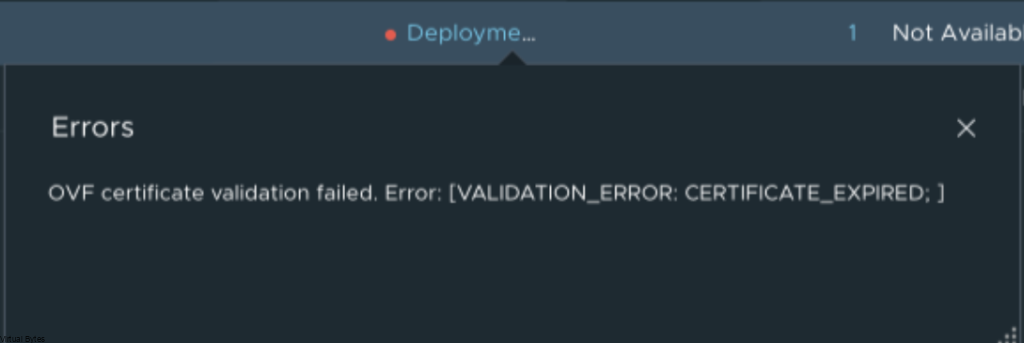
OVF certificate validation failed. Error: [VALIDATION_ERROR: CERTIFICATE_EXPIRED; ]
Download the script firstGet disable_ovf_validation_flag.sh from the Broadcom KB article Verify the MD5 hash if provided (MD5 : 9e44c678a035bedd42f53a15626b3919) -> KB424034
Upload the disable_ovf_validation_flag.sh script to each NSX Manager.
After the deployment, you can re-run the enable script (enable_ovf_validation_flag.sh) if you need or want to have OVF validation enabled again.
For my lab environment, I am keeping it disabled until a fix is released or the next VCF 9.0.2 upgrade/patch addresses the issue.
Procedure
Connect to each NSX Manager via WinSCP
- Protocol: SFTP (recommended; falls back to SCP if needed)
- Host name: IP address or FQDN of the NSX Manager
- Port: 22 (default)
- Username: root (Important: The admin account won’t work for file transfers WinSCP on NSX Managers — you must use root)
- Password: Your root password
Common gotcha: SSH Service Issues:
- If SSH is not running then you will need to console into the NSX Managers first as admin, then run:
get service ssh. If SSH service is not running then you will need to start the ssh service “start service ssh” or keep SSH persistant upon reboot then execute “set service ssh start-on-boot”
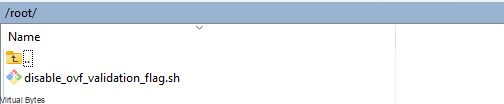
Upload location – Copy the script to the /root directory on each of the three NSX Managers.

After upload (for each NSX Manager)
- SSH in as root (or use the NSX console).
- Run it:
bash /root/disable_ovf_validation_flag.sh
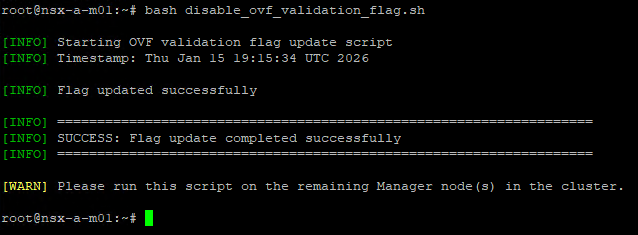
Now that we have successfully executed the disable_ovf_validation_flag.sh script on all NSX Managers, time to re-run the NSX Edge Node deployment.
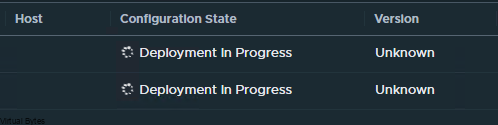
In my previous attempt (with validation enabled), the deployment process started, I saw the NSX Edge uplinks appear in vCenter Networking inventory, but no Edge nodes ever showed up in the vCenter VM inventory — the task failed early due to the certificate expiration error before the VMs could be fully created/registered.

Success!