
DISA Kubernetes STIG — 92 requirements
Most compliance tooling shows you the first number.
The second number is the reason to trust the first one.
A requirement the appliance cannot answer is returned as
Not_Reviewed, never inferred, never quietly counted as a pass.
Evidence, not inference
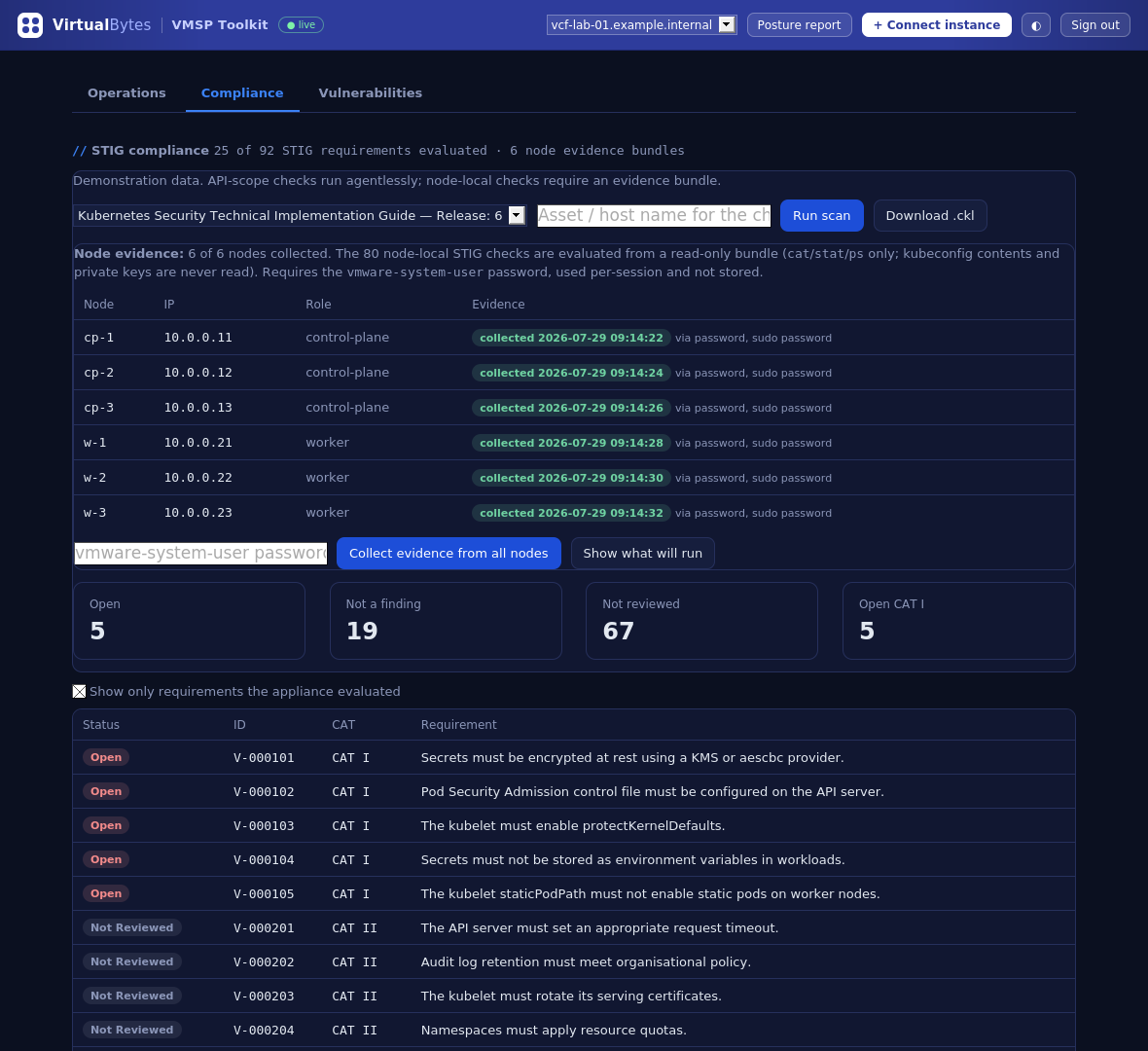
Roughly two-thirds of the Kubernetes STIG asks about things the API server simply cannot tell you: kubelet flags, file modes under /etc/kubernetes, whether a manifest sets an argument at all. Guessing from API state would produce a checklist that looks complete and isn’t.
So 2.0 collects a read-only evidence bundle from each node over SSH — cat, stat and ps, nothing else. The exact command list is printed before you consent to it. Kubeconfig contents and private keys are never read, and a redaction guard keeps key material out of the bundle even if a file happens to contain some. The vmware-system-user password is used for that session and never stored. Findings then carry their evidence into the exported .ckl, so a reviewer can see why, not just what.
The image the registry didn’t have
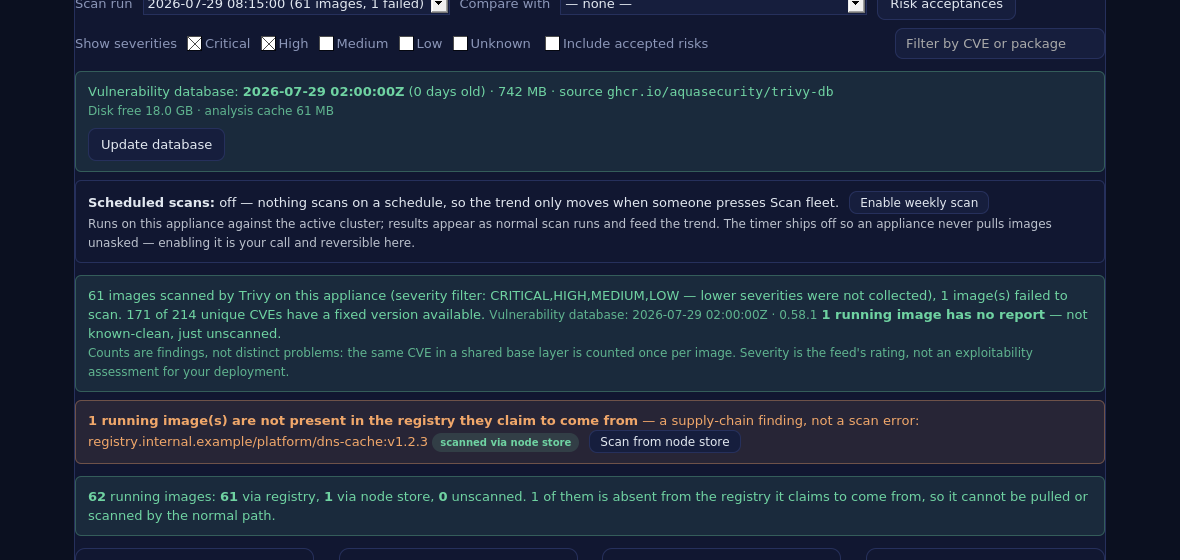
The vulnerability side started as ordinary image scanning: inventory everything running in the cluster, scan the registry with Trivy, track the trend. Then a scan of a real fleet failed on exactly one image out of ninety-four.
It wasn’t a scanner problem. The image was running fine, but it was absent from the registry its own reference pointed at — preloaded onto the nodes at build time and never pushed. That image cannot be re-pulled. A node rebuild, image garbage collection under disk pressure, or a reschedule onto a fresh node would have left it unpullable, and it could not be patched through any supported path either.
A pure CVE scanner reports that as a scan error in a log. Inventory analysis reports it as what it is: a supply-chain finding with an availability consequence.
Those images can still be scanned. 2.0 exports one from a node’s containerd store over SSH — no pod, no cluster mutation, byte count verified before the scanner sees it, temporary files removed on every exit path — and scans it on the appliance. Coverage is then stated in words that name their own unit, because “25 of 92” and “61 of 62” measure completely different things and get confused constantly.
One artifact you can hand over
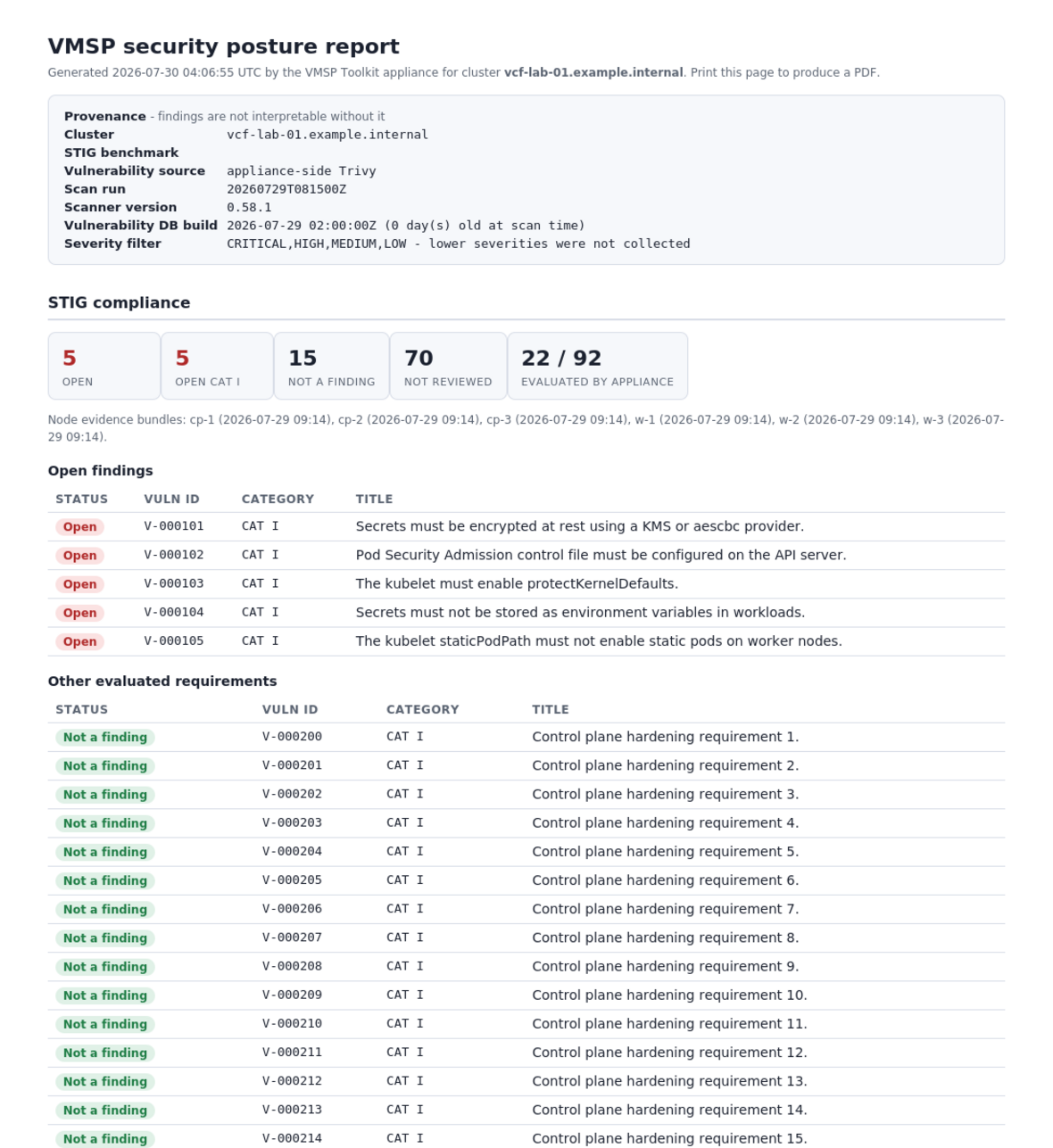
Compliance state and vulnerability posture are the same conversation, so they land in one self-contained HTML report — print to PDF from the browser; the appliance carries no PDF toolchain. It opens with a provenance block: which cluster, which benchmark release, which scan run, which scanner and database build, which appliance version and edition. Absent data is reported as absent. Nothing is implied clean.
What it doesn’t do
This is a security tool that runs inside a management perimeter, so the restraint matters as much as the features:
- No vulnerability database ships in the OVA. One baked in would be stale the day you deployed it. The appliance downloads it on request and shows its age in every view that depends on it.
- Nothing scans on a schedule until you say so. The weekly timer ships disabled. There’s a one-click toggle; the click is yours.
- Nothing touches a node without consent, per session. Evidence collection and node-store scanning both print their exact command list first and take the password each time.
- Nothing is created in your cluster. The node-store path uses SSH precisely so it doesn’t need a privileged pod.
- No outbound calls beyond the vulnerability database fetch you initiate.
Findings against a platform you didn’t build are usually not yours to fix unilaterally, which is why risk acceptances with expiry dates are part of the workflow rather than an afterthought.
Get it
Version: 2.0.0-rc.1 — Assurance Edition
Platform: Photon OS 5 · OVA · VCF 9.x
Download: github.com/virtual-bytes/vmsp-toolkit
sha256sum -c vmsp-toolkit-2.0.0-rc.1-assurance.ova.sha256A release candidate: promotion to 2.0.0 follows verification of the built artifact. Deploy through Deploy OVF Template; the wizard and the appliance’s own login page both report the version and edition, and they derive from the same line in the same file — if they ever disagree, the build refuses to produce an OVA.
VMSP Toolkit is provided as is, without warranty of any kind, and is intended for lab and proof-of-concept environments. Production use is at the operator’s own risk.
Independent project. Not affiliated with or endorsed by Broadcom, VMware, DISA, or the US Department of Defense. STIG requirement identifiers and guidance derive from the DISA Kubernetes Security Technical Implementation Guide, published at public.cyber.mil.


