I went to log into SDDC Manager in the lab and never made it to the dashboard. The browser went to the vCenter SSO page, came back to SDDC Manager, went back to vCenter, and kept doing that until I closed the tab. No error and no login prompt, just the address bar flipping between two hosts.
It took three separate fixes to get it back, and two of them had nothing to do with the thing that looked broken. Writing it up so I remember next time.
What the loop actually is
In VCF 9 SDDC Manager doesn’t handle the login itself. It sends you to the management vCenter, which acts as the SAML identity provider. vCenter authenticates you and posts an assertion back to a callback URL on SDDC Manager. So one trip to vCenter is expected. A loop means that handoff is failing somewhere, and the URL in the address bar will tell you where if you bother to read it.
Reading the SAMLRequest
Every time the browser landed on vCenter the URL carried a huge SAMLRequest parameter. I copied two of them out of the loop and decoded them. It’s URL encoding on top of base64 on top of raw deflate, so one line of Python does it:
python3 -c 'import sys,urllib.parse,base64,zlib; print(zlib.decompress(base64.b64decode(urllib.parse.unquote(sys.argv[1])), -15).decode())' 'PASTE_SAMLRequest_VALUE_HERE'Trimmed down to the parts that mattered:
IssueInstant="2026-09-30T23:56:45.734Z"
AssertionConsumerServiceURL="https://sddcm.lab.local/ui/api/internal/login/callback"

IssueInstant="2026-09-30T23:56:49.389Z"
AssertionConsumerServiceURL="https://sddcm.lab.local/ui/api/internal/login/callback"
The callback used the FQDN, so this wasn’t the known issue where SDDC Manager redirects you to its short hostname after login. The timestamps were the interesting part. Four seconds apart, and I never typed a password in between. vCenter still had my SSO session, so it answered straight away and sent me back. SDDC Manager looked at what came back and threw it away.
So vCenter was doing its job. SDDC Manager was rejecting a perfectly good assertion, and the cheapest reason to check for that is time.
Six hours off
# on SDDC Manager
date -u
Thu Oct  1 12:02:10 AM UTC 2026

# on vCenter
ssh [email protected] date -u
Wed Sep 30 05:53:02 PM UTC 2026
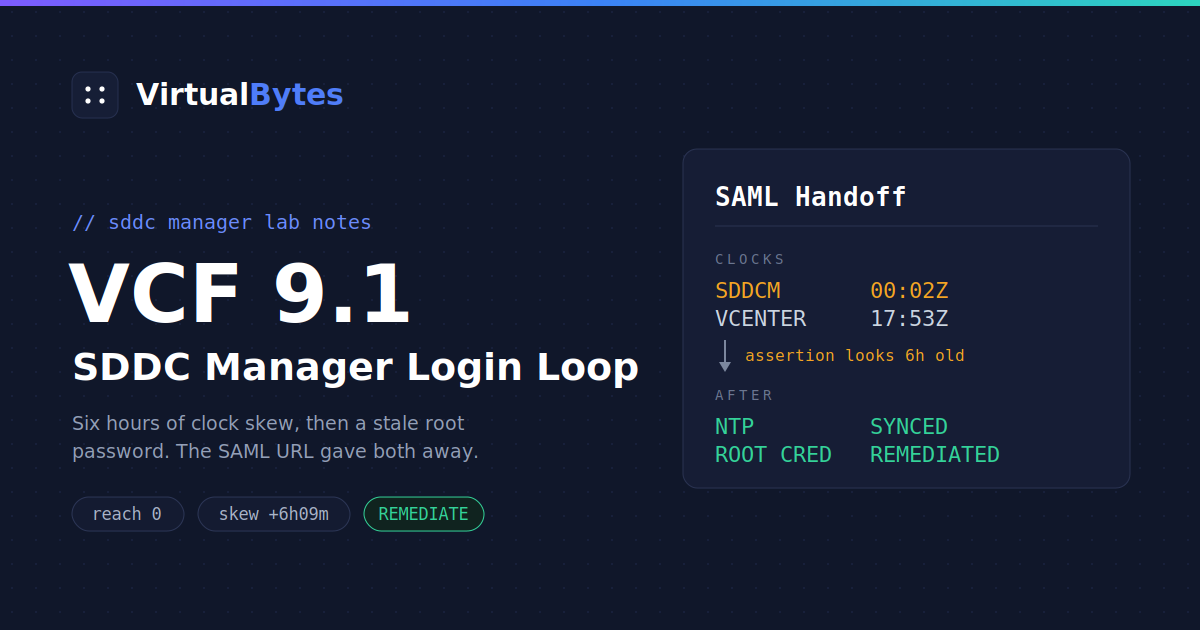
Six hours and nine minutes apart. An assertion is only valid for a short window, and to SDDC Manager everything coming from vCenter looked hours old.
I assumed vCenter was the one drifting. Then I checked SDDC Manager. timedatectl said the clock was synchronized, which is exactly the sort of line you believe without looking further. ntpq disagreed:
ntpq -pn
     remote           refid      st t when poll reach   delay   offset   jitter
==============================================================================
 10.0.20.55      .INIT.          16 u    - 1024    0   0.0000   0.0000   0.0001
A reach of 0 means ntpd had never gotten a single reply. The server answered ping fine, it just wasn’t serving time anymore, and ntpdate -q came back with no eligible servers.
Two clocks that disagree and no working time source, so I needed a third opinion. Any HTTPS server will give you one in its response headers:
curl -sI https://github.com | grep -i '^date'
Date: Wed, 30 Sep 2026 17:55:39 GMT
vCenter was right. SDDC Manager was the one living six hours in the future.
Fixing the clock
I had another NTP server on the network that was healthy. I tested it, pointed ntpd at it and stepped the clock. ntpd won’t make a jump that size unless you pass -g.
ntpdate -q 10.0.10.10        # offset should be around -22000 seconds
cp /etc/ntp.conf /etc/ntp.conf.bak
sed -i 's/^server 10\.0\.20\.55.*/server 10.0.10.10 iburst/' /etc/ntp.conf

systemctl stop ntpd
ntpd -gq
systemctl start ntpd
ntpq -pn                     # give it a minute, you want a * next to the server

/opt/vmware/vcf/operationsmanager/scripts/cli/sddcmanager_restart_services.sh
Restarting the services matters here, since every one of them just had time go backwards six hours. It takes a while. My first API call after the restart got a 502 from nginx, which only means nothing is listening behind it yet. Go make a coffee.
Pushing NTP to everything else
Editing ntp.conf only fixes one appliance, and everything else in the environment pointed at the same dead server. SDDC Manager can push NTP to vCenter, NSX and the hosts and keep its own inventory straight while it’s at it, so I did the rest through the API. It has a validation call, which is worth running first:
SDDC=https://sddcm.lab.local
read -s -p "SSO password: " PW; echo
TOKEN=$(jq -n --arg u [email protected] --arg p "$PW" '{username:$u,password:$p}' \
  | curl -sk -X POST $SDDC/v1/tokens -H 'Content-Type: application/json' -d @- | jq -r .accessToken)
unset PW

BODY='{"ntpServers":[{"ipAddress":"10.0.10.10"}]}'

# validate
VID=$(curl -sk -X POST $SDDC/v1/system/ntp-configuration/validations \
  -H "Authorization: Bearer $TOKEN" -H 'Content-Type: application/json' -d "$BODY" | jq -r .id)
curl -sk $SDDC/v1/system/ntp-configuration/validations/$VID \
  -H "Authorization: Bearer $TOKEN" | jq '.executionStatus, .resultStatus'

# apply
TID=$(curl -sk -X PUT $SDDC/v1/system/ntp-configuration \
  -H "Authorization: Bearer $TOKEN" -H 'Content-Type: application/json' -d "$BODY" | jq -r .id)
curl -sk $SDDC/v1/tasks/$TID -H "Authorization: Bearer $TOKEN" | jq .status
That task finished without complaint. The UI did not.
New error, different problem
The loop was gone. Now the UI sat on the VCF initializing screen and counted retry attempts:
VMware Cloud Foundation is initializing...
Attempt 6/150. Unable to initialize the UI service due to "Status code 500:
Unable to retrieve iDP Metadata: Authentication failed for host vcenter.lab.local"
The error links to Broadcom KB 305970, which explains that the UI service SSHes into the management vCenter as root on startup to pull the SSO metadata. If that login fails, the UI never comes up.
I could SSH into vCenter as root myself, so the account worked. It just wasn’t working for SDDC Manager:
faillock --user root
Login   Failures   Latest failure        From
root    2          2026-09-30 18:09:59   10.0.40.24

chage -l root
Last password change      : Sep 30, 2026
Password expires          : never
The root password had been changed that same day, and both failures came from the SDDC Manager IP. vCenter had a new password, SDDC Manager’s credential store still had the old one, and it kept retrying on a timer. vCenter locks root after a handful of failures, so left alone this was only going to get worse.
I still don’t know what changed that password. It’s on the list.
Telling SDDC Manager the real password
You don’t need to go anywhere near the database for this. The credentials API has a REMEDIATE operation that updates what SDDC Manager has stored without changing anything on vCenter. I stopped the UI service first so it would quit burning login attempts, cleared the counter on vCenter, then ran it:
# SDDC Manager: stop the retries
systemctl stop sddc-manager-ui-app

# vCenter: clear the failure counter
faillock --user root --reset

# SDDC Manager: remediate
read -s -p "vCenter root password: " VCPW; echo
RID=$(jq -n --arg pw "$VCPW" '{operationType:"REMEDIATE",elements:[{resourceName:"vcenter.lab.local",resourceType:"VCENTER",credentials:[{credentialType:"SSH",username:"root",password:$pw}]}]}' \
  | curl -sk -X PATCH $SDDC/v1/credentials -H "Authorization: Bearer $TOKEN" \
    -H 'Content-Type: application/json' -d @- | jq -r .id)
unset VCPW

curl -sk $SDDC/v1/credentials/tasks/$RID -H "Authorization: Bearer $TOKEN" | jq '.status, .errors'

# after it reports SUCCESSFUL
systemctl start sddc-manager-ui-app
SUCCESSFUL. I started the UI service back up, waited a few minutes, and got exactly one bounce to the vCenter login page followed by the dashboard. Finally.
The shell ate some of my time too
None of this is a VCF problem, but it cost me more time than the actual fixes did.
Lab passwords always seem to have an exclamation mark in them. Interactive bash treats ! inside double quotes as history expansion, so dropping the password inline into a JSON string gets you event not found and the command never runs. Single quotes are safe. So is typing it at a read prompt.
Speaking of read, I pasted a whole block of commands that started with read -s. It happily took the next pasted line as the password, which was the first line of my JSON. SDDC Manager rejected the request as malformed, and honestly that was lucky, because the other outcome was it trying that line as the vCenter root password. Paste the read line on its own.
I also started out building the request body with a heredoc and a variable inside it. That falls apart as soon as the value contains a quote. jq -n --arg does the escaping for you and I should have used it from the start, which is why every command above uses it.
If you landed here from a search
This is the order I’d check things in now:
- Open a private window to rule out stale cookies.
- Decode two SAMLRequest values and look at the callback URL and the gap between the timestamps.
- Run
date -uon SDDC Manager and vCenter, compare both against something outside the lab, and checkntpq -pnfor a reach of 0. - Read
/var/log/vmware/vcf/sddc-manager-ui-app/sddcManagerServer.logfor signature, NotBefore or authorization errors. - On vCenter, run
faillock --user rootandchage -l root. Failures from the SDDC Manager IP mean the stored password is stale.