The certificate dashboard in VCF Operations told me one of my workload domains, running vCenter 9.1.1, had an expired certificate. Eight total, one expired, seven active. The row said vCenter, External CA, Solution User Certificate, expired December 27, 2025, and under auto renewal it just said Not Supported.
I lost an afternoon to that row. Three of the four things it told me were wrong.
The fix that would have been a mistake
The obvious reading is that somebody replaced a solution user certificate with one from an external CA back on 7.x or 8.x, it survived the upgrade, and now it has aged out. Reset the solution users to VMCA signed, done before lunch.
Except vCenter 9.x will not let you put an external CA certificate on a solution user in the first place. Solution users are deprecated in 9.0, service accounts are taking over, and VMCA owns what is left. The vSphere Client does not even offer you the option. On top of that, VCF Operations cannot renew a certificate that has already expired regardless of what kind it is, so that Not Supported label was answering two questions at once and neither answer helped me.
I wanted to look at the actual certificate before I replaced anything. That is where the afternoon went.
Nothing in VECS
Started with every store on the workload domain vCenter:
for store in $(/usr/lib/vmware-vmafd/bin/vecs-cli store list); do
  echo "=== $store ==="
  /usr/lib/vmware-vmafd/bin/vecs-cli entry list --store "$store" --text 2>/dev/null \
    | grep -E "^Alias|Issuer:|Not After"
done
All six solution user certificates VMCA signed, all expiring in December 2035. Machine SSL on my Microsoft CA, good into 2028. Nothing expiring in December 2025 anywhere.
BACKUP_STORE was my next guess. That is where VECS parks the old certificate after a replacement and then leaves it forever, and it would have been a clean answer. One entry, a superseded machine certificate valid until 2027. Wrong again.
Which left me in an odd spot. The certificate on my dashboard was not on the appliance.
A principal that had no business being there
VECS is only half the story. Every solution user also has an account in VMware Directory holding its own copy of the certificate, and those two can quietly disagree.
/usr/lib/vmware-vmafd/bin/dir-cli service list --login [email protected]Nine entries, in two obvious groups. Six with this appliance’s machine ID, matching the OU field on all the VECS certificates. Three with a machine ID I did not recognise. And one of those three was vapi-endpoint.
That stopped me. vapi-endpoint has not shipped with a fresh vCenter since the 6.x days. Finding one in a 9.1.1 directory means either something very old came along for the ride, or something registered itself here that had no reason to.
Two clocks, and the thing they gave away
Here is a wrinkle that cost me a few minutes before it started helping. openssl prints GMT. The VCF Operations dashboard prints local time. I am on Mountain, so anything expiring in the evening shows up a day apart depending on where you look. My VMCA root reads December 17 00:00:15 GMT in openssl and December 16, 2035 on the dashboard. Same certificate.
Once I lined those up the dates started talking. VMCA root issued December 16 at 17:00 MST. Solution user principals created December 21 around 16:51. The SMS self signed certificate stamped December 21 at 17:04. This vCenter went in during the third week of December.
So a certificate expiring December 27 had lived less than a fortnight. Solution user certificates get ten years. Whatever this thing was, it had never been one, no matter what the dashboard had filed it under.
Time to look at it properly:
/opt/likewise/bin/ldapsearch -h localhost -p 389 -o ldif-wrap=no \
  -b "cn=ServicePrincipals,dc=vsphere,dc=local" \
  -D "cn=administrator,cn=users,dc=vsphere,dc=local" -W \
  "(objectclass=vmwServicePrincipal)" cn userCertificate
Every blob through base64 -d | openssl x509 -inform der -noout -issuer -dates. Eight came back VMCA signed and good into 2035. The ninth did not:
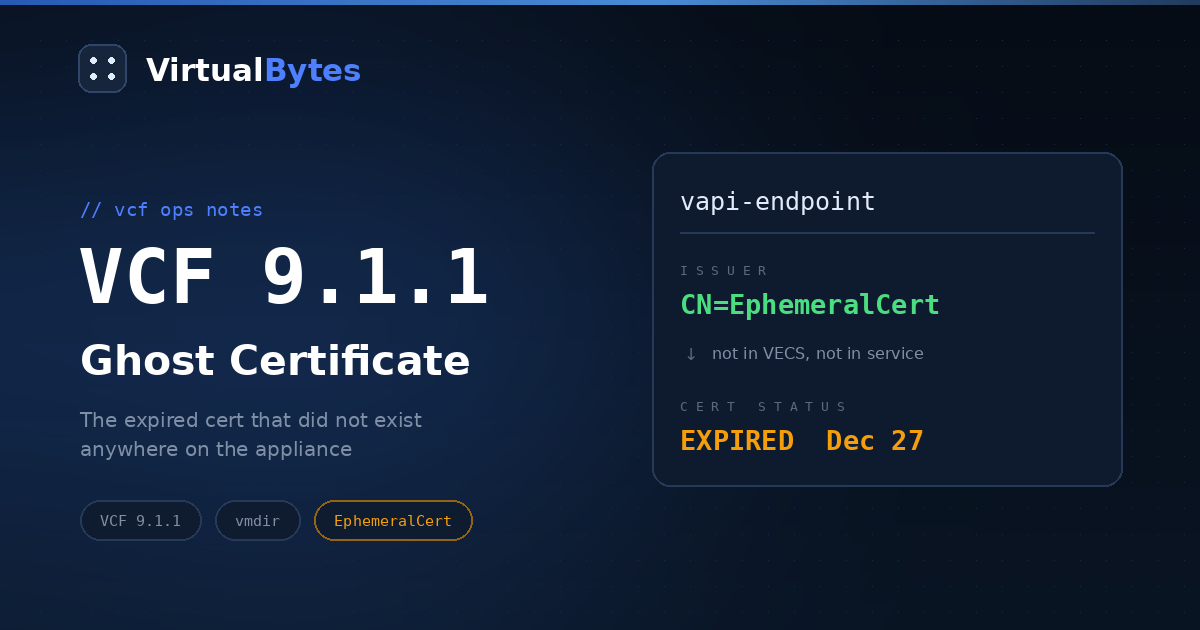
CN=vapi-endpoint-22222222-2222-4222-8222-222222222222
issuer=CN=EphemeralCert
notBefore=Dec 26 21:56:42 2025 GMT   # Dec 26, 14:56 MST
notAfter=Dec 27 23:20:13 2025 GMT    # Dec 27, 16:20 MST
Issuer CN=EphemeralCert. Twenty five hours of life. Expiring the afternoon of December 27, which is exactly what my dashboard had been shouting about ever since.
The External CA label makes sense now too. That issuer is neither my VMCA nor my Microsoft CA, so VCF Operations had nowhere sensible to put it.
Then I checked the other vCenter
The unfamiliar machine ID turned out to be my management domain vCenter, so I went and ran the same commands over there. Near enough a mirror image. Six healthy principals of its own, two orphans carrying the workload domain machine ID, and one of those was another vapi-endpoint sitting on another ephemeral certificate.
Different certificate, different window. Mine on the workload domain ran December 26 at 14:56 through December 27 at 16:20 MST. The one on the management appliance ran December 27 at 14:57 through December 27 at 17:20. Both dead by the same evening, issued about twenty four hours apart.
Ephemeral certificates are normal. They show up during a registration handshake and get swapped for real ones as the workflow finishes. Both sides keeping theirs tells me something got far enough along to cross register service principals on each node and then stopped.
Look before you delete
I would not skip this bit. Deleting service principals that belong to a live Enhanced Linked Mode partner will ruin your week, so check the topology from both appliances before you touch a thing:
/usr/lib/vmware-vmafd/bin/dir-cli nodes list --login [email protected]Each one reported itself as the only PSC in its site. Both directories agreed they were standalone, which meant the cross registered principals were dead weight on both and safe to remove locally. Had either listed the other as a partner I would have stopped and sorted out the topology first.
Snapshots, then one principal per node:
# workload domain vCenter
/usr/lib/vmware-vmafd/bin/dir-cli service delete \
  --name vapi-endpoint-22222222-2222-4222-8222-222222222222 \
  --login [email protected]

# management vCenter
/usr/lib/vmware-vmafd/bin/dir-cli service delete \
  --name vapi-endpoint-11111111-1111-4111-8111-111111111111 \
  --login [email protected]
I left the rest of the orphans where they were. VMCA signed, valid another nine years, throwing no alerts, and tidying them up is a different job I did not want tangled into this one. No restarts needed either. If any service had genuinely been using these certificates it would have fallen over back in December when they expired.
What the next collection brought
One cycle later the row was gone. Seven certificates, seven active, nothing expired.
Something else moved that I was not expecting, and it might be the better story. The vCenter TLS row had been reading December 21, 2027. It now reads September 5, 2028. Nothing renewed in between. The September 2028 certificate was already the live machine certificate in VECS the whole time, and that December 2027 date belonged to the superseded copy sitting in BACKUP_STORE.
So the dashboard had been showing me a retired certificate as though it were in service, and it quietly fixed that in the same pass where it dropped the phantom. Two symptoms pointing the same way. The collector was reaching past the live stores, then labelling whatever it found with categories that did not really fit.
Still bothering me
I never worked out what actually ran on the 26th and 27th. Two ephemeral certificates issued almost exactly a day apart smells like something scheduled or retried rather than me fat fingering a registration once. The logs under /var/log/vmware/vmdird/ and /var/log/vmware/vmafdd/ are where I need to go next.
That matters more than the dashboard row ever did. If a registration or a repoint got interrupted and left matching debris on both appliances, two service principals may not be all of it, and I would rather find the rest now than during an upgrade.
What I took from it
The certificate view in VCF Operations 9.x is a genuine improvement and I am not going back to tracking this by hand. But it shows you what it collected, and it sorts what it finds into buckets that do not always apply. On that one row the certificate was not a solution user certificate, it was not from an external CA, and it did not belong to the vCenter it was filed under.
Nothing was broken. No service had touched that certificate since December. The only real cost was the reissue I nearly ran against nine years of perfectly good certificates because a dashboard told me to.
Go and find the certificate before you replace it.