Two unrelated-looking roadblocks turned up in the same afternoon while moving a VCF 9.0.2 environment to 9.1: a Log Management precheck that failed instantly with a 500, and a management domain upgrade plan whose buttons were greyed out entirely. Both had clean fixes, and both were easy to misdiagnose in a way that would have caused real damage. Here’s the walkthrough.
The environment
- VCF Operations already at 9.1
- SDDC Manager at
9.1.0.0.25371088 - VCF Management Services / Services Runtime deployed
- Management domain
vb-m01still at 9.0.2.0 (NSX, vCenter, ESX all on 9.0.2.0) - VCF Operations for Logs 9.0 pending its move to Log Management 9.1
Problem 1: “No task definition found for component OPS_LOGS and action precheck”
Clicking Run Prechecks on the Operations for Logs 9.0 → Log Management 9.1 upgrade failed immediately. The task went to Failed with a 500 INTERNAL_SERVER_ERROR and a message about no task definition existing for component OPS_LOGS and action precheck, suggesting you verify the component supports the specified action and upgrade path.
The same failure shows up on the platform side in the sddc-upgrade-service pod logs, as an LcmRestClientException thrown out of SddcUpgradeTaskDefResolver complaining that no task definition exists for component=OPS_LOGS in catalog=9.1 with action=precheck, source=9.0.
Why it happens
Log Management 9.1 is architecturally different from what came before. The standalone virtual appliance model is gone, replaced by containerized microservices running on the VCF Services Runtime. Because of that, the 9.0 to 9.1 transition isn’t a patch at all — it’s an automated side-by-side deployment followed by a configuration migration.
Given that workflow, all the health and environment validation happens inline during the deployment itself. There is no standalone precheck action registered on the backend for this legacy upgrade path. The UI, however, still exposes the Run Prechecks button once you’ve saved deployment parameters. Pressing it fires an action the backend has no handler for, and you get the 500.
The fix
Skip the precheck. Go back into the upgrade wizard, complete the initial configuration step, save your parameters, and then click UPGRADE directly without touching Run Prechecks. This is documented in Broadcom KB 442588.
Don’t bother with the RETRY button on the failed task — it reissues the same unsupported action and fails identically. The failed precheck task is cosmetic and doesn’t block the upgrade.
What NOT to do
There’s a cleanup_component.py script floating around in the VCF 9.1 documentation for removing Log Management and Operations for Logs components from Fleet Lifecycle. It is tempting to reach for it when a log component looks stuck. Resist that.
That script solves a different problem — deregistering or removing a component — not repairing a failed precheck. Reading the source is instructive: for a vsp-component delete it removes the component from Fleet first, then from the VCF Services Runtime endpoint. A should_skip_infra_deletion() guard compares the component version and skips that second deletion when the version is below 9.1, which is exactly why the documentation says a 9.0 Operations for Logs instance keeps functioning after cleanup while a 9.1 Log Management component genuinely gets removed.
In other words: run it against the thing you were trying to upgrade and you may destroy it. Save it for a component you’ve actually decided to remove.
What the upgrade actually does
Once UPGRADE was clicked, subtasks appeared in the expected shape:
Fetch Source Component Details— reads config off the existing 9.0 applianceDeploy Log management Cluster— stands up the new containerized instance at its own FQDN
The deploy subtask is the long pole, roughly 30–45 minutes, longer with data migration. Two things to have squared away before you start:
Capacity. Deploying Log Management for the first time triggers an automatic resize of the VCF Services Runtime cluster, adding a worker node sized at 12 vCPUs and 24 GB RAM. If the underlying cluster can’t accommodate that node, this is where you stall — and it’ll look like a logging problem when it’s really a capacity problem. Watch for the Check if VCF services runtime cluster is needed message; a quiet stretch after it is normal, that’s the node being provisioned.
DNS. The FQDN needs both forward and reverse resolution, must point to an unassigned IP, and that IP must not sit inside the range assigned to VCF management services. Check this with nslookup both directions before you start rather than after a 40-minute timeout.
Because this is side-by-side rather than in-place, the old 9.0 appliance stays up and serving throughout, and up to the last 90 days of data gets migrated across. Don’t power the old appliance off until you’ve confirmed the migration landed. That is when cleanup_component.py becomes the right tool — deregistering the old 9.0 entry from Fleet Lifecycle after the fact.
Problem 2: management domain won’t let you plan a 9.1 upgrade
Separately, the management domain vb-m01 sat at 9.0.2.0 with both EDIT PLAN and CANCEL PLAN greyed out. No error, no explanation, just dead buttons.
The obvious suspects were the upgrade sequence and the depot. VCF 9.1 enforces a strict order: VCF Operations first, then SDDC Manager, then VCF Management Services, then the management domain core (NSX, vCenter, ESX, and the NSX Edge cluster last). And the header showed Last lifecycle metadata sync time: N/A, which points at depot configuration — VCF 9.1 replaced the download token with an activation code, so any depot configured under 9.0 needs reconfiguring before binaries will flow.
Both of those were worth checking, but neither was the actual blocker.
The real cause: a stale target version
The Component Versions tab gave it away:
| Component | Current Version | Target Version | Status |
|---|---|---|---|
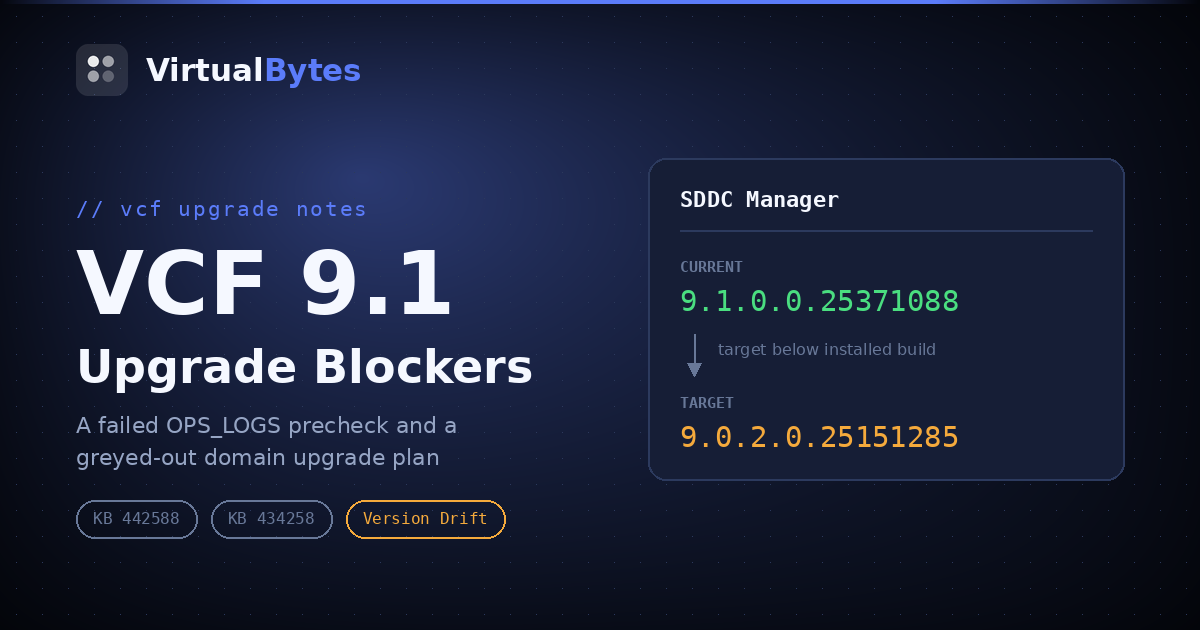
| SDDC Manager | 9.1.0.0.25371088 | 9.0.2.0.25151285 | Version Drift |
| VMware NSX | 9.0.2.0.25150386 | 9.0.2.0.25150386 | On Target |
| VMware vCenter | 9.0.2.0.25148086 | 9.0.2.0.25148086 | On Target |
SDDC Manager was ahead of its own target. The domain had retained a stale target upgrade version pointing below what was actually installed, so the LCM service read the upgrade path as a downgrade and refused to resolve it. Bundle discovery hangs or fails, and the UI responds by greying out the plan controls rather than surfacing a useful message. This is Broadcom KB 434258.
Confirming it via the API
In VCF Operations, go to Developer Center → API & SDKs → SDDC Manager API Explorer, find the TargetUpgradeVersion section, and run GET /v1/releases/domains:
{
  "elements": [
    {
      "domainId": "db0e7eb0-1470-46a5-ab63-7efe6ed59440",
      "targetVersion": "9.1.0.0",
      "patches": [],
      "isCustomizedBom": false,
      "upgradeSequence": { "optimizedMaintenanceWindow": true }
    },
    {
      "domainId": "97d00976-72ca-4167-af77-fc6d153143a2",
      "targetVersion": "9.0.2.0",
      "targetSddcManagerVersion": "9.0.2.0.25151285",
      "patches": [
        { "productType": "SDDC_MANAGER", "version": "9.0.2.0.25151285" }
      ],
      "isCustomizedBom": false
    }
  ]
}
The second entry is the problem. Its targetSddcManagerVersion matches the down-level build shown in the UI, and it carries a pinned SDDC_MANAGER patch at that same version. The first domain is healthy by contrast: a 9.1.0.0 target, no targetSddcManagerVersion, empty patches.
Confirm the domain ID maps to the domain you think it does with GET /v1/domains before proceeding.
Clearing it
DELETE /v1/releases/domains/97d00976-72ca-4167-af77-fc6d153143a2The endpoint name reads alarmingly, but it removes the domain’s target upgrade version record — it does not delete the domain or anything running in it. You’re clearing a stale pointer.
A 200 OK, then re-run the GET to verify:
{
  "domainId": "97d00976-72ca-4167-af77-fc6d153143a2",
  "patches": [],
  "targetSddcManagerVersion": "",
  "targetVersion": ""
}
Blank target, empty patches. Hard-refresh the browser on the domain’s Upgrades tab — the plan state is cached client-side, so switching tabs alone won’t show the change — and the greyed pair is replaced with active PLAN DOMAIN UPGRADE and PLAN COMPONENT UPGRADE buttons.
Depot: the other half
Clearing the stale record unblocks the buttons. Getting 9.1.0.0 to appear as a selectable target is a separate matter, and that’s where the N/A metadata sync time comes back into play.
VCF 9.1 replaced the download token with an activation code for depot authentication. The registration flow:
- Generate a Software Depot ID from Depot Settings in the UI, or via the VCF Download Tool CLI
- Log in to the VCF Business Services console and go to Software Depot Registrations
- Register the depot ID with a friendly name; the activation code is displayed on screen
- Apply that code in Depot Settings, then sync lifecycle metadata
- Download the 9.1 bundles via Binary Management
Two gotchas. First, generating depot credentials is permission-gated on the Broadcom portal side — if the registration option isn’t visible, that’s a role problem to raise with your User Administrator, not something fixable in VCF. Second, download tokens do still work for most 9.1 binaries, but ESX updates and patches via the Download Tool only support activation codes. Since a management domain upgrade ends in ESX image import and host upgrades, go straight to the activation code rather than doing this twice.
Takeaways
Greyed-out buttons with no error message usually mean the backend couldn’t resolve state, not that you lack permission. Both problems here presented as an unhelpful UI, and in both cases the actual explanation was sitting in a log or an API response.
Skipping a precheck was correct once and would be wrong everywhere else. The OPS_LOGS precheck was skippable because that specific action genuinely has no backend handler on that specific upgrade path. Domain prechecks are fully supported and are where NSX/vCenter/ESX interoperability problems surface before you’re mid-maintenance-window. Run those.
Check the target column, not just the current column. “Version Drift” on a component that’s newer than its target is a state the UI handles poorly, and it silently poisons plan creation for the whole domain.
Read the script before you run the script. The version guard inside cleanup_component.py is the difference between deregistering a stale record and deleting a running logging platform.
Worth also checking ahead of the domain plan: if NSX Advanced Load Balancer (Avi) is in the environment, validate it against the 9.1 interoperability matrix first. An incompatible Avi version will block the management domain plan even though Avi isn’t the component being upgraded, because the planner validates whether the entire component stack can reach the target state compatibly. That one at least fails loudly, naming the specific incompatible relationships.