This one caught me in the lab while I was moving VMs off a management domain host ahead of some maintenance. vMotion failed almost instantly, and vCenter gave me one of these two messages depending on where I looked:
Hot migration is disabled in vmkernel on host <hostname>

The operation is not supported on the object. Host '<hostname>' does not support this operation because it is disabled in vmkernel.
My first instinct with any vMotion failure is to go check the vMotion vmknic, MTU, and routing. Don’t bother with this one. The error has nothing to do with networking. The host itself has been told not to do hot migrations at all.
What is actually going on
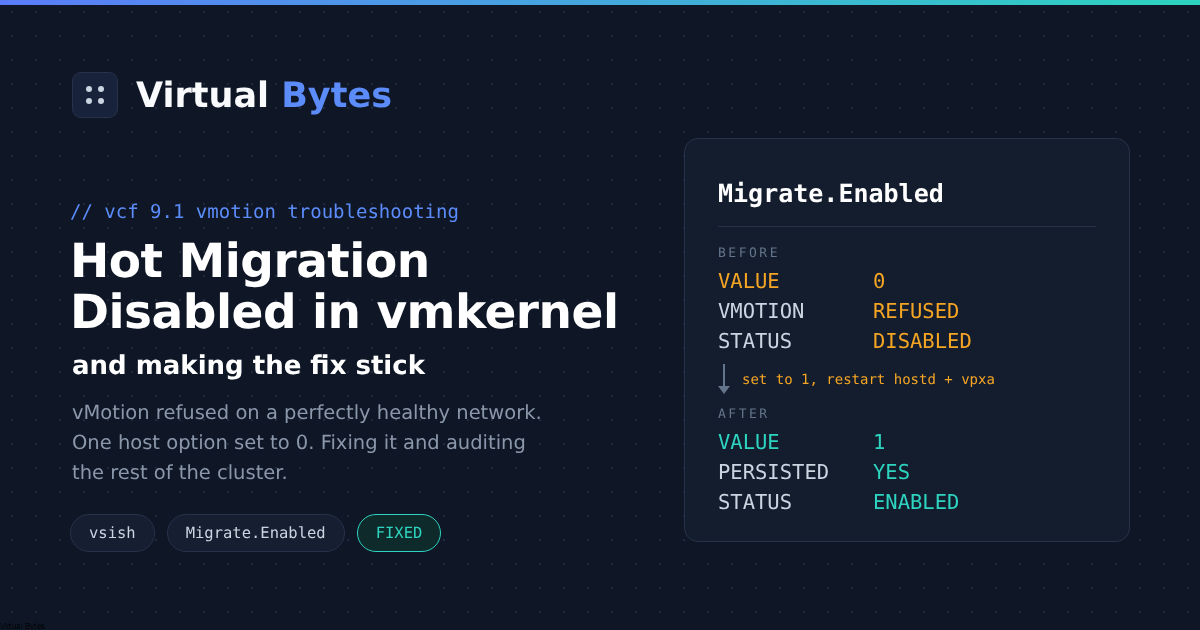
Broadcom documents this in KB 447181 for VCF 9.1 and ESX 9.1. The migrate functionality has been switched off at the host level, so the vmkernel rejects every vMotion request no matter how good your vMotion network looks. The setting behind it is the advanced option Migrate.Enabled, and its default value is 1.
SSH to the host and check it:
vsish -e get /config/Migrate/intOpts/EnabledIf Current value comes back as 0, you have found your problem.
The fix
The KB walks through turning the option back on, making sure the migrate module loads at boot, and restarting the management agents:
vsish -e set /config/Migrate/intOpts/Enabled 1
esxcli system module list | grep migrate
esxcli system module set -e true -m migrate
/etc/init.d/hostd restart
/etc/init.d/vpxa restart
One thing worth pointing out. On my host the module list already showed migrate as loaded and enabled:
[root@esx03:~] esxcli system module list | grep migrate
migrate                              true        true
So the module set step changed nothing for me. The module was fine the whole time. The thing that was off was the option, and that is the part you really need to fix. If your module list also shows true and true, you can skip that step.
Making sure it sticks
I never like walking away after a vsish change without confirming the configured value too. Run both of these and make sure they agree:
vsish -e get /config/Migrate/intOpts/Enabled
esxcli system settings advanced list -o /Migrate/Enabled
Here is what a healthy host looks like afterwards, trimmed down to the lines that matter:
Vmkernel Config Option {
   Default value:1
   Current value:1
   Description:Enable hot migration support
   Option update requires reboot:0
   Option update requires maintenance mode:0
}

   Path: /Migrate/Enabled
   Int Value: 1
   Default Int Value: 1
   Description: Enable hot migration support
If the esxcli Int Value still shows 0, set it there as well:
esxcli system settings advanced set -o /Migrate/Enabled -i 1If you would rather click than type, the same setting lives in vCenter under the host at Configure, System, Advanced System Settings. Search for Migrate.Enabled and set it to 1. Note that the option needs neither a reboot nor maintenance mode, so you can fix it with VMs running on the host.
Give vCenter a minute after the vpxa restart and then retry the migration. If vCenter still insists the host does not support the operation, disconnecting and reconnecting the host forces a full resync. And if the error now names a different host, that one needs the same treatment, since either end of the migration can be the culprit.
So who turned it off?
This is the part the KB skips. The default is 1, which means something or someone set it to 0 on purpose. If you fix the value without finding out why, there is a good chance it flips back the next time that something runs. The usual suspects:
- A host profile or vSphere configuration profile that carries
Migrate.Enabled = 0and gets reapplied on remediation - A hardening or compliance script that got a little too aggressive
- Someone disabling vMotion on a host during troubleshooting or an isolation exercise and forgetting to turn it back on
Check those before your next remediation run, not after.
Check the whole cluster while you are at it
If one host had this set, I would not assume it is the only one. A quick PowerCLI pass shows every host in the cluster at once:
Get-Cluster -Name "Mgmt-Cluster" | Get-VMHost |
  Get-AdvancedSetting -Name Migrate.Enabled |
  Select-Object Entity, Value
And if you find stragglers, this fixes them in one go:
Get-Cluster -Name "Mgmt-Cluster" | Get-VMHost |
  Get-AdvancedSetting -Name Migrate.Enabled |
  Where-Object { $_.Value -ne 1 } |
  Set-AdvancedSetting -Value 1 -Confirm:$false
Quick recap
- Ignore the network. Check
/config/Migrate/intOpts/Enabledwith vsish. - Set it to 1 and restart hostd and vpxa.
- Confirm
Migrate.Enabledreads 1 in esxcli or vCenter too. - Audit the rest of the cluster.
- Find whatever set it to 0 so it does not come back.
Five minutes of work once you know where to look, but a confusing one if you spend the first half hour staring at vmknics like I almost did.