Unsupported: lab only
Scaling VCF Management Services down from HA to Simple is not supported by Broadcom. The VCF Operations UI only scales up, and everything in this post goes around it. It worked in my lab, but it leaves the deployment in a state the supported tooling would never produce, and William Lam has warned that it can affect other components badly enough to need a redeploy.
It also removes and rebuilds every control plane VM. If you’re relying on vSphere snapshots of those VMs as your way back, they’ll be deleted along with the VMs. Take a proper VCFMS backup first. Do not run this against anything you can’t rebuild.
VCF 9.1.1 added a Small HA option for VCF Management Services, which finally gives you three control plane nodes without jumping to a Medium deployment’s bigger workers. The VCF Operations UI will happily scale you from Simple up to Small HA. What it won’t do is take you back down.
William Lam’s post on enabling HA for a Small deployment through the backend API mentions in passing that he could use the same method to scale back to a single control plane node, for testing. I wanted to know what actually happens when you do that on 9.1.1. Which components follow, which don’t, what breaks along the way, and what state it leaves VCF Operations in.
So I built a disposable lab and did the whole round trip. Here’s everything I saw.
The short version
One command does it:
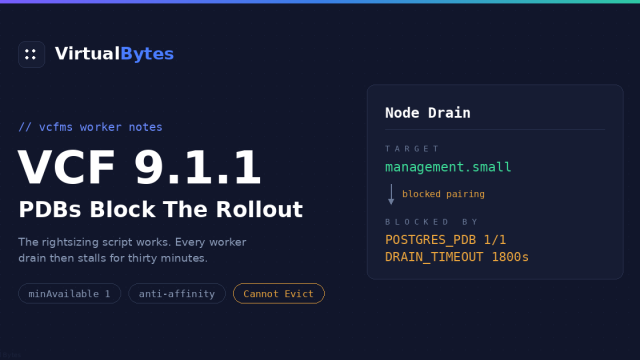
vmsp pkg configure vmsp-platform -n vmsp-platform --set cluster.ha=falseThe control plane goes from three nodes to one cleanly, with etcd quorum never lost. But along the way two databases get stuck and need a nudge, a brief API outage fails a second round of database syncs, VCF Operations keeps describing an HA cluster until you restart Fleet LCM, and one component quietly stays HA-sized. All of it is recoverable. None of it is documented.
How I got to an HA cluster in the first place
The lab started as a Simple Small deployment on 9.1.0: one control plane node and three workers. I patched it to 9.1.1, then used the supported Scale action to go to Small HA:
Build, Lifecycle, VCF Management, Components, VCF Services Runtime, Actions, Scale, then Small (High Availability).
The wizard quotes the resource requirement for the target, which for me came out at 42 vCPU, 78 GB and 12 IP addresses. The IP count matters more than it looks, because the scale operation builds new nodes before removing old ones, so your runtime IP pool needs headroom beyond the final node count.
A few things about the scale-up worth knowing before you ever try to reverse it.
It replaces the control plane rather than growing it. I expected two new nodes alongside the original. Instead the original control plane VM was removed and three new ones were built. None of the pre-scale control plane VMs survived.
The databases scale with it. The HA setting drives the Postgres replica count. The fleet LCM and SDDC LCM databases went from 2 replicas to 3, and the Identity Broker database went from 1 to 3. That happened before any control plane node was built, as soon as the platform accepted the new profile.
The PDBs track it too. The -critical-op-pdb budgets moved from minAvailable: 2 to 3 to match the new replica count.
After about 25 minutes the task finished, the PackageDeployment went Successful, and etcd had three members. That’s the starting point for everything below.
Before you start
Everything here runs on a VCFMS control plane node, since vmsp is a local CLI that only exists there. SSH to the runtime cluster is off by default and you enable it from VCF Operations. Log in as vmware-system-user and use sudo -i, because root has its own separate password.
ssh vmware-system-user@<control-plane-ip>
sudo -i
export KUBECONFIG=/etc/kubernetes/admin.conf
Take a real backup, not snapshots
I snapshotted all three control plane VMs before starting. That turned out to be worthless. CAPI deletes those VMs during the scale-down, and a VM’s snapshots go with it. By the time you’d want to revert, there’s nothing left to revert.
Use the Backup and Restore tab in VCF Management instead, and confirm the backup completed before you touch anything.
Capture the before state
You’ll want to compare against this afterwards. Define a helper for etcd first, since you’ll use it a lot:
etcdm() {
  kubectl exec -n kube-system $(kubectl get pod -n kube-system \
    -l component=etcd -o name | head -1) -- etcdctl \
    --endpoints=https://127.0.0.1:2379 \
    --cacert=/etc/kubernetes/pki/etcd/ca.crt \
    --cert=/etc/kubernetes/pki/etcd/server.crt \
    --key=/etc/kubernetes/pki/etcd/server.key \
    member list -w table
}
kubectl get nodes -o wide > /tmp/preSimple-nodes.txt
kubectl get machines -A > /tmp/preSimple-machines.txt
kubectl get postgresql -A > /tmp/preSimple-postgresql.txt
kubectl get pdb -A > /tmp/preSimple-pdb.txt
etcdm > /tmp/preSimple-etcd.txt
kubectl get pd vmsp-platform -n vmsp-platform -o json \
| jq '{ha: .spec.values.cluster.ha, worker: .spec.values.cluster.worker}' \
> /tmp/preSimple-pd.jsonCopy those off the node. The node you’re on won’t exist by the end.
Also confirm the PackageDeployment is Successful before you start. If a previous change is still Progressing, vmsp pkg configure will sit and wait for it.
Running it
vmsp pkg configure vmsp-platform -n vmsp-platform --set cluster.ha=false

... PackageDeployment/vmsp-platform/vmsp-platform: updated
... Secret/vmsp-platform/vmsp.release.vmsp-platform.v10: updated
It doesn’t refuse. The PackageDeployment goes to Progressing straight away.
One small detail I noticed. Before the change, the value stored in the PackageDeployment was the string "true". What --set writes is the boolean false. It didn’t cause me any problems, but it means you end up with a value type the UI never writes, which is worth remembering if anything later behaves oddly.
Now open a second session to the newest control plane node. CAPI removes the oldest machines first, so the node you ran the command from may well be the first to go.
What happens, in order
1. The databases go first, and two of them get stuck
Just like the scale-up, the platform changes the databases before it touches the control plane. The fleet LCM and SDDC LCM databases dropped from 3 replicas to 2 within a couple of minutes. Both went straight to SyncFailed:
kubectl get postgresql -A

vcf-fleet-lcm   vcf-fleet-lcm-db   16   2   ...   SyncFailed
vcf-sddc-lcm    vcf-sddc-lcm-db    16   2   ...   SyncFailed
That looks alarming. It isn’t, at least not in the way it looks. The operator log says what happened:
kubectl logs -n vmsp-platform deploy/zalando-postgres-operator --since=10m \
  | grep -iE 'fleet-lcm|sddc-lcm' | grep -iE 'error|fail'

no sync standby found - retrying fetching cluster members
could not sync statefulsets: could not recreate pods:
  skipping switchover: failed to get Patroni cluster members
Changing the replica count changes the StatefulSet, so the operator does a rolling recreate of the pods. It recreates the replica first. Before it recreates the master, it wants to switch mastership over to a synchronous standby. But the replica it just recreated hasn’t caught up yet, so there’s no sync standby, the switchover is skipped, and the sync is marked failed.
The data is fine throughout. Check it directly:
kubectl exec -n vcf-fleet-lcm vcf-fleet-lcm-db-0 -c postgres -- patronictl list

| Member             | Role         | State     | Lag in MB |
| vcf-fleet-lcm-db-0 | Leader       | running   |           |
| vcf-fleet-lcm-db-1 | Sync Standby | streaming |         0 |
A leader and a streaming sync standby with zero lag. Within a minute or so the condition the operator wanted was met.
The operator doesn’t retry on its own
This is the part that would catch people. The operator is configured to repair failed clusters every two minutes:
kubectl get configmap -n vmsp-platform -o yaml \
  | grep -iE 'resync_period|repair_period'

    repair_period: 2m
    resync_period: 5m
It didn’t. I waited well past that with healthy standbys in place and the logs showed no further attempt on either cluster. Both stayed SyncFailed indefinitely. Anyone who didn’t know better would reasonably assume the databases were broken.
The fix is to give the operator an update event. A throwaway annotation does it without changing anything that matters:
kubectl annotate postgresql -n vcf-fleet-lcm vcf-fleet-lcm-db \
  sync-nudge="$(date +%s)" --overwrite
kubectl annotate postgresql -n vcf-sddc-lcm vcf-sddc-lcm-db \
  sync-nudge="$(date +%s)" --overwrite
Within a second of that the operator picked both up, found the sync standby, switched over in about three seconds each, and recreated the old masters:
performing rolling update
switching over from "vcf-fleet-lcm-db-0" to "vcf-fleet-lcm/vcf-fleet-lcm-db-1"
successfully switched over
recreating old master pod "vcf-fleet-lcm/vcf-fleet-lcm-db-0"
Status goes to Updating, then Running.
2. The control plane shrinks
With the databases handled, the KubeadmControlPlane picks up the change:
kubectl get kubeadmcontrolplane -A

NAME          AVAILABLE   DESIRED   CURRENT   READY   UP-TO-DATE
vsp01-x7kdm   Unknown     1         3         0       0
Don’t panic at READY 0 and AVAILABLE Unknown. That’s KCP recalculating its conditions mid-change, and your kubectl still answering is the proof the API server is up. Watch the actual machines and etcd instead of the summary.
UP-TO-DATE 0 matters, though. It means all three control plane machines are out of date against a changed template, not just surplus to requirements. So KCP isn’t only going to shrink the control plane, it’s going to replace the last node too.
Here’s how it played out:
3 members   vsp01-b8wzd  vsp01-h2nlq  vsp01-t6vce
            oldest (b8wzd) removed from etcd, then VM deleted
2 members   vsp01-h2nlq  vsp01-t6vce
            h2nlq removed from etcd, then VM deleted
1 member    vsp01-t6vce
            new machine vsp01-r9fyp built, joins etcd
2 members   vsp01-t6vce  vsp01-r9fyp
            t6vce removed from etcd, then VM deleted
1 member    vsp01-r9fyp
Every time, KCP removed the etcd member before it deleted the VM. That’s the order that keeps quorum safe, and it held on all three removals. The two-member moments are the fragile windows, because two members need both up to keep quorum. Leave the nodes alone while that’s happening.
At one point kubectl hung for a few seconds during a member removal. If that happens, you can check etcd directly through the container runtime, which doesn’t need the API server at all:
crictl ps | grep -E 'etcd|kube-apiserver'
crictl exec <etcd-container-id> etcdctl \
  --endpoints=https://127.0.0.1:2379 \
  --cacert=/etc/kubernetes/pki/etcd/ca.crt \
  --cert=/etc/kubernetes/pki/etcd/server.crt \
  --key=/etc/kubernetes/pki/etcd/server.key \
  member list -w table
Your session will die, and the VIP will move
Because the final node gets replaced as well, none of the three HA control plane VMs survive. Whatever node you’re on will eventually disappear. The runtime VIP follows the control plane, so reconnecting to the VIP always lands you on the current one.
Every time the VIP moves, it presents a different host key and SSH refuses to connect. For a lab subnet I stopped fighting it:
ssh -o StrictHostKeyChecking=no -o UserKnownHostsFile=/dev/null \
  [email protected]
That disables host key checking entirely for the connection, so keep it to a network you trust.
3. The handover breaks a second round of syncs
When the last HA node left, the SDDC LCM database and the Salt RaaS database both went SyncFailed. Different cause this time:
could not sync secrets: could not create secret for user ...:
  failed calling webhook "validate.kyverno.svc-fail":
  dial tcp ...:443: connect: connection refused
could not create secret for user ...: unexpected EOF
could not create secret for user ...: context deadline exceeded
For a short window during the final handover, both the API server and the Kyverno admission webhook were unreachable. The operator tried to write its database user secrets during that window and couldn’t.
Kyverno is the interesting part. Its webhook runs with a fail policy, so while it’s down, every secret create in the cluster is rejected, not just the operator’s. Anything else that happened to write a secret in that window would have failed the same way.
Both databases were healthy underneath. Same fix as before:
kubectl annotate postgresql -n vcf-sddc-lcm vcf-sddc-lcm-db \
  sync-nudge="$(date +%s)" --overwrite
kubectl annotate postgresql -n salt-raas pgdatabase \
  sync-nudge="$(date +%s)" --overwrite
Salt RaaS runs a single replica, so there’s no standby to switch over to. If the operator needs to recreate that pod, it’s a short outage of that database rather than a failover.
4. Done, as far as Kubernetes is concerned
kubectl get kubeadmcontrolplane -A

NAME          AVAILABLE   DESIRED   CURRENT   READY   UP-TO-DATE
vsp01-x7kdm   True        1         1         1       1

kubectl get pd vmsp-platform -n vmsp-platform

NAME            PHASE        STATUS
vmsp-platform   Successful   successful package deployment
One control plane node, one etcd member, three workers untouched throughout. From the command to Successful took me around twenty minutes including both rounds of nudging.
VCF Operations still thinks it’s HA
This is the finding that shows why this path is unsupported. After all of the above, VCF Operations showed:
Size:   Small (High Availability)
Nodes:  three control plane VMs that no longer existed,
        several workers deleted hours earlier,
        and no sign of the one control plane node actually running
Fleet LCM’s view of the cluster had diverged from the cluster itself. That matters more than the cosmetic problem, because Fleet LCM drives every future upgrade, patch, scale and backup from that record. Its next operation would have been planned against three control plane nodes that weren’t there.
Lam hit the same thing on the way up and noted the inventory eventually refreshes on its own, but that restarting the Fleet LCM service forces it. That worked for me too:
kubectl rollout restart deploy -n vcf-fleet-lcm
kubectl rollout status deploy -n vcf-fleet-lcm --timeout=600s
I also restarted the SDDC LCM deployments in vcf-sddc-lcm the same way before checking, so I can’t tell you for certain which of the two did it. Lam only restarts Fleet LCM, so that’s probably the one. Give it five to seven minutes, then refresh the VCF Services Runtime page.
After the restart it showed Size: Small and a node list with exactly one control plane node and the three current workers. Both fields turned out to be derived from the live cluster rather than stored, so the restart fixed both.
What it leaves behind
Identity Broker stays HA-sized
The Identity Broker database was still running three replicas at the end, while the fleet LCM and SDDC LCM databases had dropped to two:
vcf-fleet-lcm-db          2   followed ha=false
vcf-sddc-lcm-db           2   followed ha=false
vidb-postgres-instance    3   did not
The two LCM databases are driven by the vmsp-platform package, so they followed the flag. The Identity Broker is a separately packaged component, and its own PackageDeployment has no HA setting at all. Its values are just fqdn, ingress, ipAddresses and size, with size set to plain small.
So where does the replica count come from? The managed fields on its Postgres resource show it:
kubectl get postgresql -n vidb-external vidb-postgres-instance \
  -o json --show-managed-fields \
  | jq '{instances: .spec.numberOfInstances,
         managers: [.metadata.managedFields[] | {manager, operation, time}]}'
The only writer besides the Postgres operator itself is a controller called manager, and its last write predated the HA change. The component manager derives the replica count from the platform’s HA state at render time, and the Identity Broker simply hasn’t been re-rendered since the flag flipped. It’s stale, not configured. It’ll probably correct itself the next time something touches that component, most likely the next patch.
The supported Scale action reaches every component through the SDDC lifecycle service. The manual flag only reaches one package. That gap is exactly the “other components” Lam warns about.
Orphaned volumes
Scaling a database from 3 replicas to 2 removes a pod but not its volume. You’ll be left with a pgdata-...-db-2 PVC for each of the fleet LCM and SDDC LCM databases, Bound, with nothing using it. Not harmful, just wasted capacity, and worth leaving alone until you’re sure you won’t scale back up.
kubectl get pvc -A | grep pgdataA state the UI would never produce
Put together, you end up with a Simple control plane, two platform databases sized for Simple, one component database sized for HA, a boolean HA value where the UI writes a string, and orphaned volumes. It all runs. It’s also a combination no supported workflow creates, which means no supported workflow has been tested against it.
The full procedure
1. Back up, and check the starting state
Take a VCFMS backup from the Backup and Restore tab. Confirm the PackageDeployment is Successful and etcd has three members. Capture the before state and copy it off the node.
2. Flip the flag
vmsp pkg configure vmsp-platform -n vmsp-platform --set cluster.ha=false3. Nudge the databases when they stall
Watch kubectl get postgresql -A. When a database shows SyncFailed, confirm with patronictl list that it has a leader and a streaming sync standby, then annotate it. Expect to do this once early on and again after the final control plane handover.
4. Watch the control plane
kubectl get kubeadmcontrolplane -A
kubectl get machines -A
etcdm
Check each etcd member disappears from etcdm before its VM starts deleting. Reconnect via the VIP when your session drops, and redefine etcdm on each new node.
5. Wait for Successful
KCP at DESIRED 1, CURRENT 1, READY 1, UP-TO-DATE 1, and the PackageDeployment Successful.
6. Restart Fleet LCM
kubectl rollout restart deploy -n vcf-fleet-lcm
kubectl rollout status deploy -n vcf-fleet-lcm --timeout=600s
Wait a few minutes, then confirm VCF Operations shows Size Small and a single control plane node.
7. Check what didn’t follow
kubectl get postgresql -A
kubectl get pvc -A | grep pgdata
Expect the Identity Broker database still at three replicas and a couple of orphaned volumes.
Should you do this?
In a lab where you want your control plane resources back and you can rebuild if it goes wrong, it works. The control plane side is genuinely well behaved. KCP did the etcd work correctly every time, and I never saw quorum at risk.
What makes me cautious is everything around it. Two database stalls that need manual nudging, a management plane that describes the wrong cluster until you restart a service, and a component left in a state nothing else will produce. Each of those is easy to fix once you know about it. Each of them also turns up at a point where you’d have no reason to expect it.
If you need to go from HA to Simple on anything that matters, the supported answer is still a redeploy. If you want to understand how VCFMS fits together, doing this once in a lab will teach you more than most of the docs.