Unsupported: lab only
Changing the host minimum for an SDDC Manager cluster is not supported by Broadcom. Everything in this post modifies SDDC Manager bytecode to get around a check the product enforces on purpose. It worked in my lab, but it leaves SDDC Manager running code Broadcom never shipped, and the next SDDC Manager upgrade will quietly put the original back.
I’m not sharing a patched jar, and you shouldn’t download one from anybody. The script in this post works on the jar that’s already sitting on your own SDDC Manager, so the only jar involved is the one Broadcom shipped to you. Source it from your own appliance, patch it there, and keep the original next to it.
Take a snapshot of SDDC Manager first. Do not run this against anything you can’t rebuild.
Tested on VCF 9.1.1.0, September 2026
I had a single spare Dell PowerEdge R740xd sitting around after a rebuild, and I wanted it in my management domain as a second cluster running off an NFS share on TrueNAS. Simple enough, I thought. SDDC Manager disagreed. The Add Cluster wizard wants two hosts for anything on external storage, and the API wants the same.
For context, this box used to be a workload host. I decommissioned it, reinstalled ESXi 9.1.1 and gave it a new name so it could live in the management domain instead. It has 36 cores, a bit under 384 GB of RAM and a pair of 100G uplinks, but no local disks that vSAN ESA would take. That’s why NFS made sense here: the host brings the compute and the network, and TrueNAS brings the storage. Plenty of horsepower for a second cluster, just not a second host to go with it.
This is the story of how I got it down to one, plus the full set of API calls to build the cluster once the check is out of the way.
The usual tricks didn’t work
If you’ve built a small VCF lab before, you probably know the two settings everyone reaches for when hosts are scarce:
feature.vcf.vgl-29121.single.host.domain=true      # /home/vcf/feature.properties
bringup.mgmt.cluster.minimum.size=1                # domainmanager application-prod.properties
I added both, restarted the services, and then rebooted SDDC Manager for good measure. The wizard still asked for two hosts. I half expected that, since the UI does its own host math. What I didn’t expect was the API throwing the same thing back at me:
INVALID_NUMBER_OF_MINIMUM_HOSTS
Minimum 2 hosts are required for vLCM cluster with external storage to be created.
At that point I stopped guessing at properties and went looking at the code.
Where the check actually lives
The validation happens in a class called V1ClusterValidator, buried in the nested jars inside vcf-domain-manager.jar. Nice surprise: SDDC Manager ships a full JDK, so javap is sitting right there on the appliance. No need to copy anything off the box.
Disassembling it told me two things pretty quickly.
The validator does check feature flags. I could see it reading flags for vSAN two node compute clusters, LAG, IPv6 storage and vLCM host seeding. It never reads vgl-29121. So that single host flag everybody points to never even gets a say in this code path. That explained why nothing I set had changed a thing.
The second thing was the actual check, in a method called validateMinHostsForExtStorage:
71: invokeinterface List.size()
76: iconst_2
77: if_icmpge 149
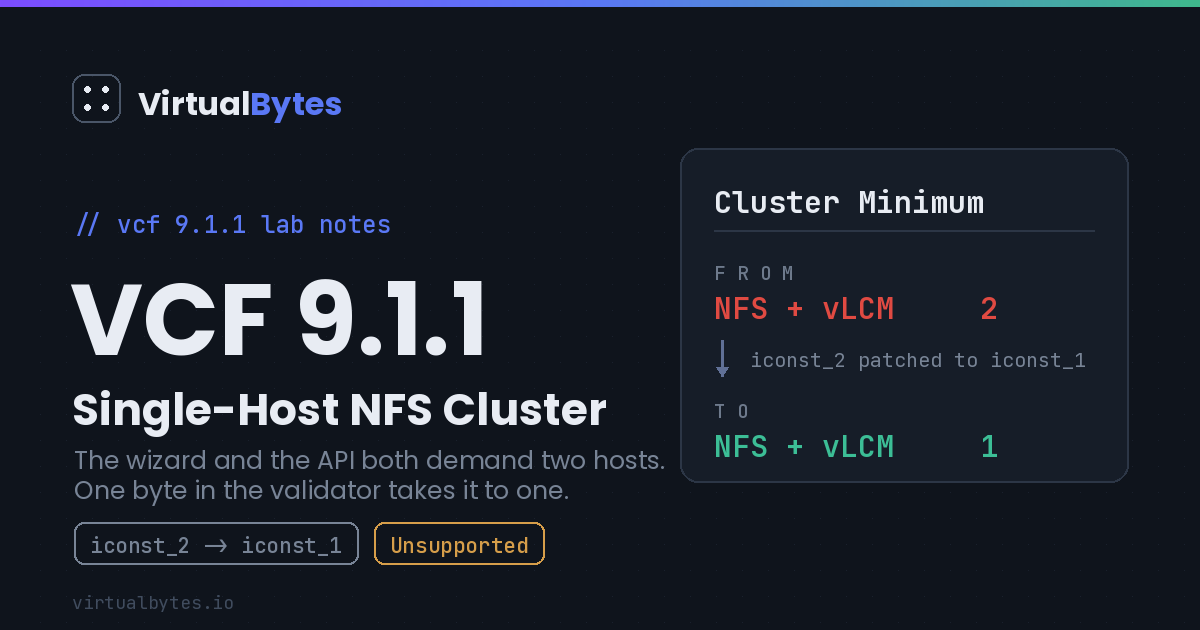
That iconst_2 is the number 2, hardcoded into the method. No property feeds it, no flag overrides it. If I wanted a one host cluster on NFS, that 2 needed to become a 1.
Changing one byte
There are two copies of the class in the jar, and each one gets the same change: iconst_2 (0x05) becomes iconst_1 (0x04). That’s it. One byte per class.
I didn’t want to patch by offset and hope for the best, so the script looks for the exact byte sequence around the check (the size() call, then iconst_2, then the if_icmpge jumping 72 bytes ahead). If it finds that sequence anything other than exactly once, it stops. On a different build that’s precisely what you want it to do.
To be clear about where the jar comes from: you patch the copy on your own SDDC Manager, in place. Nothing gets downloaded and nothing gets shared. That keeps you on the exact build Broadcom gave you, and it means the script’s byte check is running against your jar and nobody else’s.
One thing that tripped me up while planning this: Spring Boot needs the nested jars inside vcf-domain-manager.jar stored without compression, or the loader won’t start. Python’s zipfile keeps each entry’s original storage method if you hand the original ZipInfo back to writestr, so the rebuilt jar comes out laid out the way Spring expects.
#!/usr/bin/env python3
# LAB ONLY / UNSUPPORTED. Lowers the vLCM external storage cluster minimum (2 to 1)
# in SDDC Manager domainmanager. Verified on VCF 9.1.1.0. Aborts if the bytecode doesn't match.
import sys, zipfile, io

SRC = '/opt/vmware/vcf/domainmanager/vcf-domain-manager.jar'
OUT = sys.argv[1] if len(sys.argv) > 1 else 'vcf-domain-manager.jar.new'

T = {
 'BOOT-INF/lib/sddcmanager/domainmanager/clustermanager-is/clustermanager-is-rest-api-controller/libclustermanager-is-rest-api-controller.jar':
   'com/vmware/vcf/clustermanager/controller/v1/validation/V1ClusterValidator.class',
 'BOOT-INF/lib/sddcmanager/domainmanager/clustermanager-is/clustermanager-is-common/libclustermanager-is-common.jar':
   'com/vmware/vcf/clustermanager/services/validation/V1ClusterValidator.class',
}
PAT = bytes([0x01, 0x00, 0x05, 0xa2, 0x00, 0x48])   # invokeinterface size() | iconst_2 | if_icmpge +72

def patch_class(b):
    n = b.count(PAT)
    assert n == 1, f"pattern found {n} times, aborting (different build?)"
    i = b.index(PAT) + 2
    return b[:i] + b'\x04' + b[i+1:]

def rewrite(src, repl):
    out = io.BytesIO()
    with zipfile.ZipFile(src) as zin, zipfile.ZipFile(out, 'w') as zout:
        zout.comment = zin.comment
        for info in zin.infolist():
            data = zin.read(info.filename)
            if info.filename in repl:
                data = repl[info.filename](data)
                print('patched', info.filename)
            zout.writestr(info, data)
    return out.getvalue()

repl = {inner: (lambda c: lambda jb: rewrite(io.BytesIO(jb), {c: patch_class}))(c)
        for inner, c in T.items()}
open(OUT, 'wb').write(rewrite(SRC, repl))
print('wrote', OUT)
Before installing anything, I checked my work. Pull the patched class back out of the new jar and look at the offset, then make sure the jar is still a valid archive:
javap -p -c V1ClusterValidator.class | grep -A2 ' 71:'
# you want to see:  76: iconst_1

python3 -c "import zipfile; print(zipfile.ZipFile('vcf-domain-manager.jar.new').testzip())"
# you want to see:  None
Then swap it in. Keep the stock jar somewhere safe first, because that’s your way back:
cp -p /opt/vmware/vcf/domainmanager/vcf-domain-manager.jar ./vcf-domain-manager.jar.orig
systemctl stop domainmanager
install -o vcf_domainmanager -g vcf -m 600 vcf-domain-manager.jar.new \
  /opt/vmware/vcf/domainmanager/vcf-domain-manager.jar
systemctl start domainmanager
Give domainmanager a minute or two to come back up. If anything looks wrong, install the .orig jar the same way and restart, and you’re back to stock.
Building the cluster through the API
The wizard still won’t let you through, so the whole build is done from the SDDC Manager shell with curl and jq. Before you start, the host should already be commissioned into a network pool that has an NFS network defined, and the NFS export should be up and writable. More on that last part further down, because it bit me twice.
Step 1: Get a token
Use your SSO admin account. Keep the JSON in single quotes so bash doesn’t try to expand a ! in the password:
TOKEN=$(curl -sk -X POST https://localhost/v1/tokens -H 'Content-Type: application/json' \
  -d '{"username":"[email protected]","password":"<your-password>"}' | jq -r .accessToken)
echo ${TOKEN:0:20}
You should see the start of a token. If it prints null, the login failed. Tokens expire after about an hour, so just rerun this if a later call comes back with a 401.
Step 2: Collect the IDs
You need the host ID, the domain ID and the vLCM image ID:
HOST_ID=$(curl -sk -H "Authorization: Bearer $TOKEN" "https://localhost/v1/hosts?status=UNASSIGNED_USEABLE" \
  | jq -r '.elements[] | select(.fqdn=="<host-fqdn>") | .id')
DOMAIN_ID=$(curl -sk -H "Authorization: Bearer $TOKEN" https://localhost/v1/domains \
  | jq -r '.elements[] | select(.name=="<domain-name>") | .id')
echo "HOST=$HOST_ID DOMAIN=$DOMAIN_ID"

curl -sk -H "Authorization: Bearer $TOKEN" https://localhost/v1/personalities \
  | jq -r '.elements[] | "\(.personalityId)  \(.personalityName)"'
Pick the image that matches what your other clusters run and note its ID.
Step 3: Find the existing host TEP pool
Don’t create a new TEP pool for this cluster. Reuse the one the domain already has, which saves you from the overlap error I hit:
NSX_ID=$(curl -sk -H "Authorization: Bearer $TOKEN" https://localhost/v1/nsxt-clusters | jq -r '.elements[0].id')
curl -sk -H "Authorization: Bearer $TOKEN" https://localhost/v1/nsxt-clusters/$NSX_ID/ip-address-pools \
  | jq '.. | objects | select(has("availableIpAddresses")) | {name, description, availableIpAddresses}'
Look for the one described as the ESXi host overlay TEP pool and make sure it has at least a couple of free addresses.
Step 4: Write the cluster spec
Save this to /root/cluster-spec.json. Keep it in /root rather than /tmp, because /tmp gets cleared if you reboot SDDC Manager, and I learned that the fun way.
{
  "domainId": "<domain-id>",
  "deployWithoutLicenseKeys": true,
  "computeSpec": {
    "clusterSpecs": [{
      "name": "<cluster-name>",
      "clusterImageId": "<image-id>",
      "hostSpecs": [{
        "id": "<host-id>",
        "hostNetworkSpec": {
          "vmNics": [
            { "id": "vmnic4", "vdsName": "<vds-name>" },
            { "id": "vmnic5", "vdsName": "<vds-name>" }
          ]
        }
      }],
      "datastoreSpec": {
        "nfsDatastoreSpecs": [{
          "datastoreName": "<datastore-name>",
          "nasVolume": { "serverName": ["<nfs-ip>"], "path": "<nfs-export-path>", "readOnly": false }
        }]
      },
      "networkSpec": {
        "vdsSpecs": [{
          "name": "<vds-name>",
          "portGroupSpecs": [
            { "name": "<vds-name>-pg-mgmt", "transportType": "MANAGEMENT" },
            { "name": "<vds-name>-pg-vmotion", "transportType": "VMOTION" },
            { "name": "<vds-name>-pg-nfs", "transportType": "NFS" }
          ]
        }],
        "nsxClusterSpec": {
          "nsxTClusterSpec": {
            "geneveVlanId": <tep-vlan>,
            "ipAddressPoolSpec": { "name": "<existing-host-tep-pool>" }
          }
        }
      }
    }]
  }
}
Swap vmnic4 and vmnic5 for whatever uplinks your host actually uses. Then run it through jq once. If there’s a typo or a placeholder left in, it will complain now instead of later:
jq '{domainId, deployWithoutLicenseKeys}' /root/cluster-spec.jsonStep 5: Validate
curl -sk -X POST -H "Authorization: Bearer $TOKEN" -H 'Content-Type: application/json' \
  https://localhost/v1/clusters/validations -d @/root/cluster-spec.json \
  | jq '{resultStatus, failed: [.validationChecks[]? | select(.resultStatus!="SUCCEEDED") | .errorResponse | {errorCode, message}]}'
On a patched SDDC Manager you want resultStatus to say SUCCEEDED with an empty failed list. The validation result comes back in the POST response itself, so there’s no need to poll for it.
Step 6: Create the cluster
curl -sk -X POST -H "Authorization: Bearer $TOKEN" -H 'Content-Type: application/json' \
  https://localhost/v1/clusters -d @/root/cluster-spec.json | tee /root/create.json | jq '{id, status}'
From here you can follow it in the SDDC Manager UI under Tasks, or from the shell:
TASK_ID=$(jq -r .id /root/create.json)
curl -sk -H "Authorization: Bearer $TOKEN" https://localhost/v1/tasks/$TASK_ID \
  | jq '{status, failed: [.subTasks[]? | select(.status=="FAILED") | .name]}'
If a subtask fails, fix whatever it’s complaining about and hit Retry on the task in the UI. It picks up where it left off, so you don’t have to start over.
What bit me along the way
On 9.1 the spec needs "deployWithoutLicenseKeys": true. Leave it out and validation fails before it ever gets near the host count.
My first spec also created a brand new static TEP pool for the host, and I picked a range that sat inside the domain’s existing host TEP pool. NSX flat out refused the overlap. That’s why step 3 above reuses the existing pool by name and lets NSX hand out a free address.
Then I got this one, which briefly had me thinking I’d need to patch a second check:
Cannot skip 1 ESXi Host(s) as only 0 ESXi host(s) would remain and the minimum is 1It turns out it isn’t another limit at all. When a step fails on one host, the workflow tries to skip that host and carry on with the rest. With a single host there’s no rest, so you get this message instead. The real failure is always the step right before it. So if you see it, don’t go hunting for another byte to change. Go find what actually broke.
For me, what actually broke was NFS, twice, for two completely different reasons.
The first time, the datastore step sat there for exactly thirty seconds and then gave up. A permissions problem fails almost instantly, so a clean thirty second stall usually means nobody’s listening. From SDDC Manager:
nc -zv <nfs-ip> 2049
nc -zv <nfs-ip> 111
Both came back with “Connection refused.” The NFS service on TrueNAS was just turned off. Embarrassing, but easy. I’d also disabled the NFS connectivity pre check earlier to get past validation, which is exactly why this showed up so late with such an unhelpful message. That’s the trade you make with that bypass.
The second time the mount worked but the next step, “Validate Datastore Availability,” failed with “Failed to create file inside datastore.” So ESXi could see the share but couldn’t write to it. The export had no root mapping, which meant root from ESXi was being squashed down to nobody. Setting Maproot User and Maproot Group to root on the share sorted it out.
After that the workflow ran all the way through: image remediation, HA, DRS, NSX host prep, the lot. A few minutes later the new cluster showed up as Active with one host sitting next to the original.
What happens at upgrade time
Every SDDC Manager upgrade drops in a fresh vcf-domain-manager.jar, so the minimum goes right back to two. The cluster you already built doesn’t care. Nothing about it depends on the patch once it exists. You’d only need to patch again if you want to create another one of these after an upgrade.
If you do, disassemble the method on the new build before you run anything. The script will refuse to touch a jar where the bytes don’t match, which is the whole point of that check, but I’d still look with my own eyes rather than assume a future build lines up with this one.
Wrapping up
In a real deployment you’d never do this. You’d just buy a second host. But in a lab where the hardware is the limit, you can have a single host NFS cluster in an existing domain. It takes one byte, plus knowing that the flag everyone recommends doesn’t touch the check that’s actually in your way.


