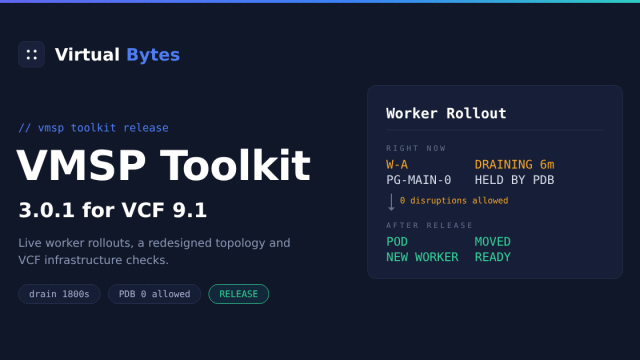
If you’ve deployed VMware Cloud Foundation 9.1, you’ve met the VCF Service Runtime — the Kubernetes cluster quietly running the entire management plane. Broadcom calls the platform underneath it VMSP (VCF Management Services), and it’s a genuinely impressive piece of engineering: cert-manager, Velero, kube-vip, a Postgres operator, Flux-style reconciliation, SeaweedFS, Strimzi, and around a hundred workloads keeping your fleet’s brain alive.
It’s also, when something goes wrong at 11 PM, a hundred workloads you now get to troubleshoot with raw kubectl over SSH.
So I built an appliance for that. Meet the VMSP Toolkit — a deployable OVA that gives you a proper dashboard, a topology map, a known-issues rules engine, and one-click remediation for the VCF 9.1 management plane.
Download it from my Github Page
What it does
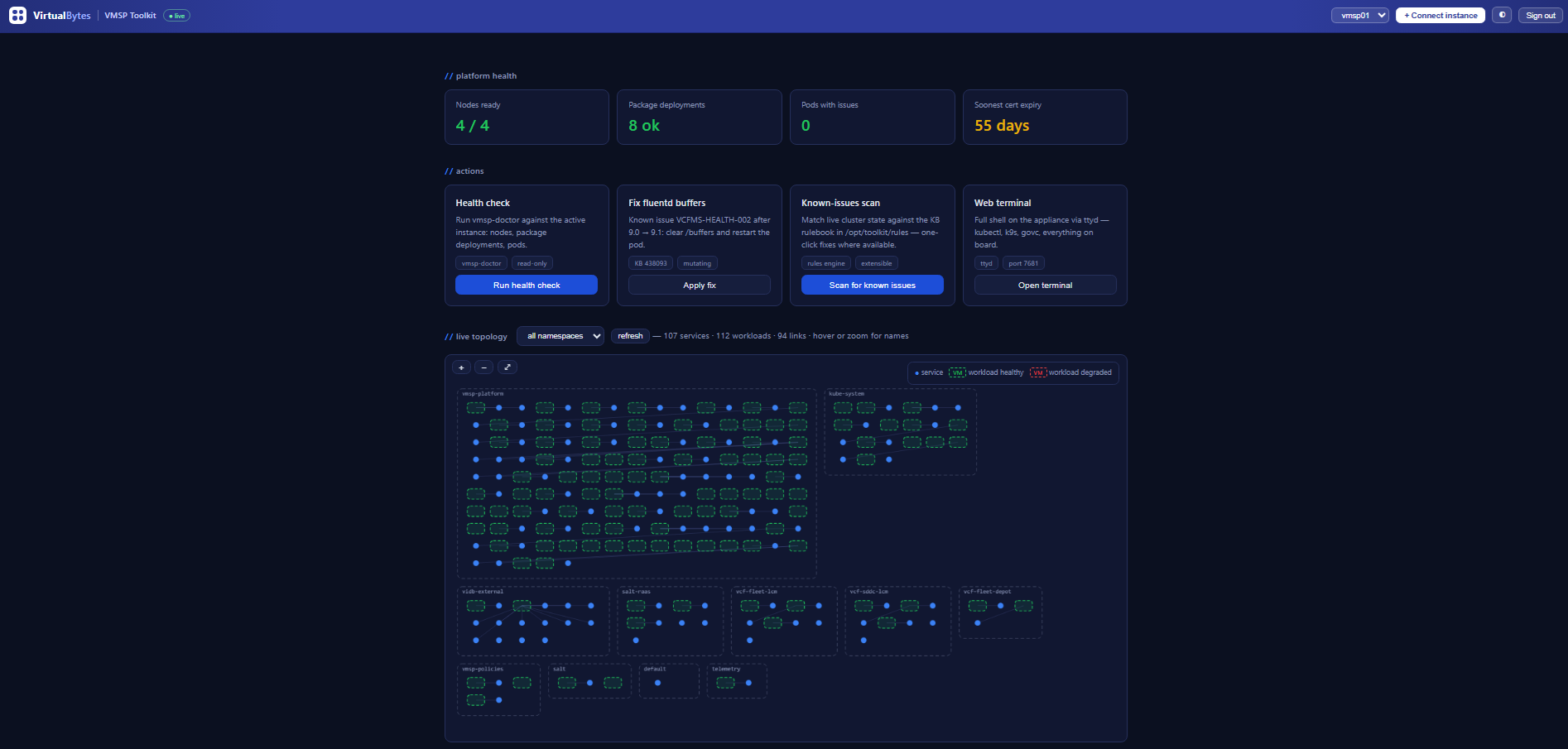
Deploy the OVA, browse to https://<appliance>:8443, sign in, and click + Connect instance. The appliance makes a one-time SSH connection to a VMSP control-plane node, retrieves the cluster kubeconfig (your password is used for that single fetch and never stored), verifies API reachability, and the dashboard goes live:
- Platform health at a glance — node readiness, package deployment status, pods with issues, and the soonest-expiring certificate across the entire fleet, color-coded and derived from live data.
- Live topology map — every namespace rendered as a dashed container with its services and workloads inside, VMware-diagram style. Services link to workloads via label selectors, degraded workloads glow red, and you can pan, zoom, and hover your way through all ~110 workloads. Zoom in and names fade in at constant size — no label soup.
- Known-issues rules engine — the feature I’m most attached to. Rules live as YAML files: a detect command, a match pattern, a KB reference, and an optional fix script. The toolkit ships with seven, including the VCFMS-HEALTH-002 fluentd buffer issue from the 9.0 → 9.1 upgrade (detected, explained, and fixable in one click), Velero backup failures, cert-manager renewals stuck in Ready=False, Postgres cluster degradation, and node-problem-detector faults. When the next KB drops, you add a YAML file — no code changes.
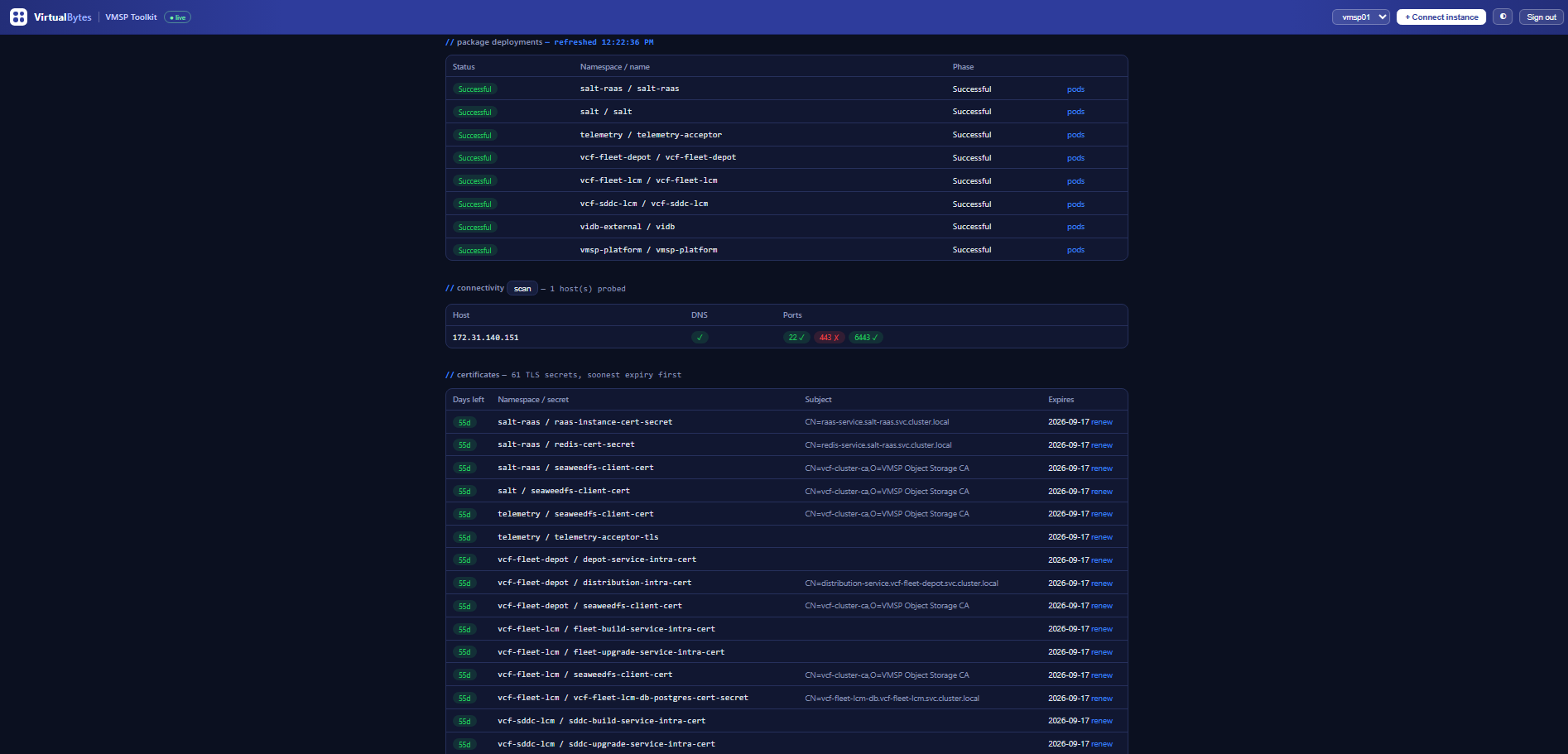
- Connectivity matrix — probes every known host for DNS, SSH, HTTPS, and the Kubernetes API, and renders a pass/fail grid. If you’ve ever spent an hour discovering that the node you SSH’d into was a worker and the API actually lives on the kube-vip VIP… this exists because I spent that hour.
- Certificate sweep and renewal — all TLS secrets fleet-wide, parsed and sorted soonest-expiry-first. Certificates managed by VMSP’s own cert-manager get a renew button (cmctl-driven, with the documented secret-reissue fallback and a status poll); everything provisioned through VCF’s official workflows is clearly marked VCF-managed and left alone — the toolkit will not let you kubectl your way into breaking a fleet trust chain.
- Velero backup status, warning events, crash-loop diagnosis (current and pre-crash container logs), an embedded web terminal with kubectl, k9s, helm, yq, and govc on board, and an hourly health watch that posts to a Slack/Teams/generic webhook when the failure count changes.
What it deliberately is not
This is a day-2 diagnostics tool. If you’re standing up a VCF 9.1 lab and need DNS, NTP, a depot, LDAP, and the other prerequisite services, that’s William Lam’s excellent VCF Infrastructure Services (VIS) appliance — build with VIS, troubleshoot with this. They’re complementary appliances!
It also refuses to be a foot-gun. Mutating actions are confirmation-gated, a read-only mode (set at deploy time in the OVF wizard) disables remediation entirely for teams that want monitoring-only, and cert renewal is hard-scoped to cert-manager-owned certificates.
Under the hood
The appliance is Photon OS 5. nginx fronts TLS on 8443, a FastAPI backend shells out to kubectl against stored kubeconfigs, ttyd provides the terminal, and the entire frontend is one self-contained HTML file — no CDNs, no external assets, works on air-gapped management networks. Authentication is a proper session-cookie login against the appliance’s local accounts (PAM), with HTTP Basic retained so your curl scripts keep working.

And there’s a full CLI side for terminal people — SSH in and type toolkit:
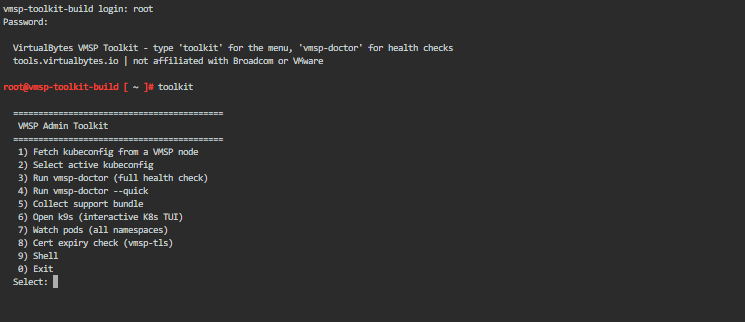
Deploying it — step by step
Deployment is the standard vCenter OVF workflow — about two minutes of clicking, and every appliance setting lives in the wizard so there’s nothing to configure on the console afterwards.
1–2. Select the OVA and name the VM. Right-click your cluster → Deploy OVF Template, point it at vmsp-admin-toolkit-1.1.0.ova, and pick a name and folder.
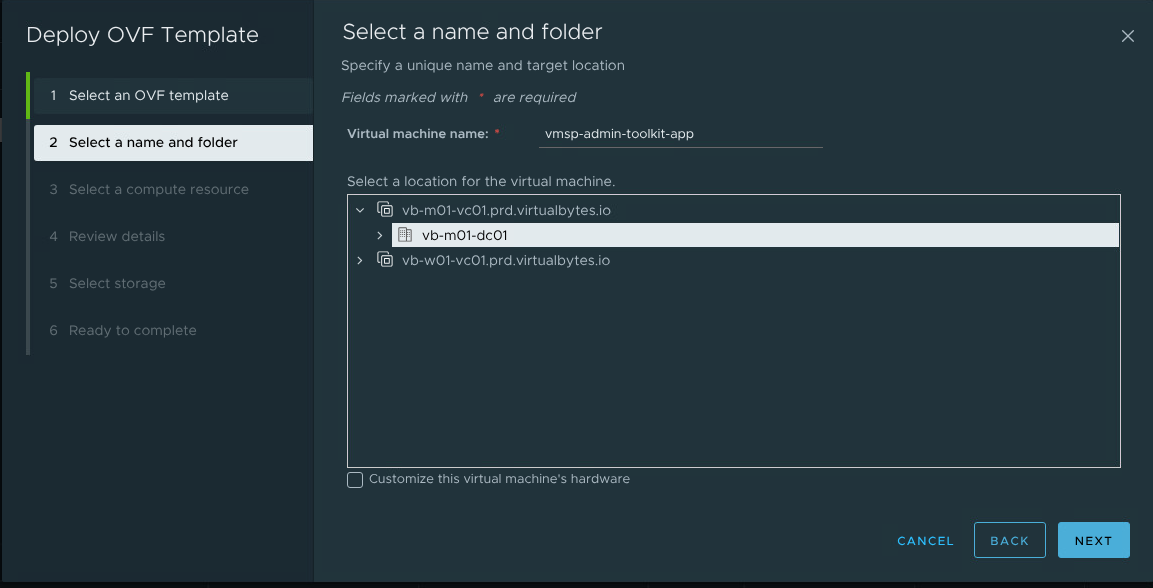
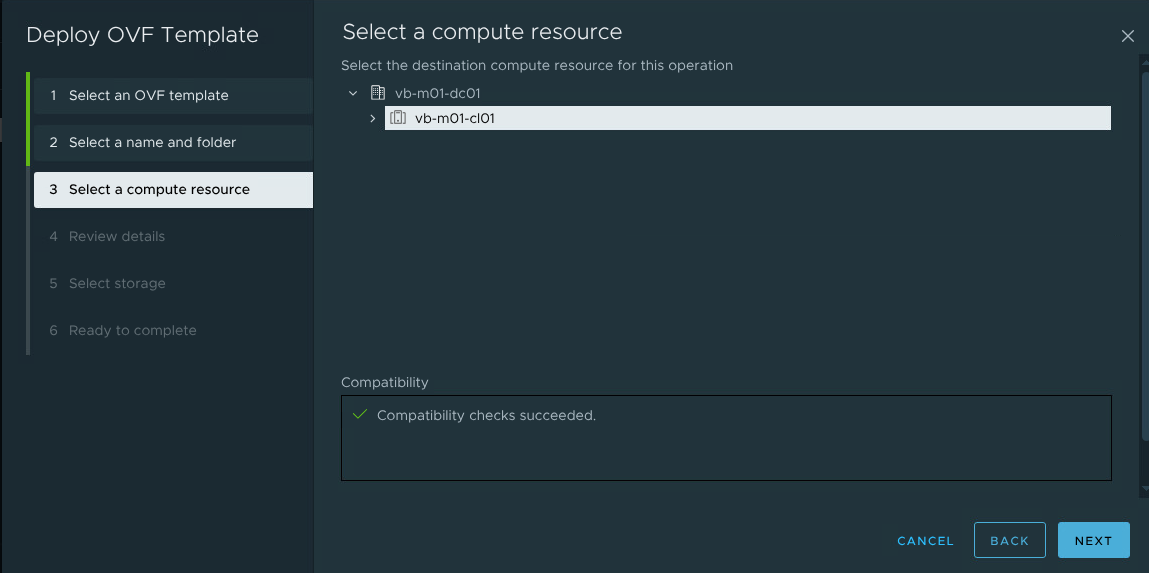
3. Compute resource. Any host or cluster with a path to your management network works — the appliance is 2 vCPU / 4 GB.
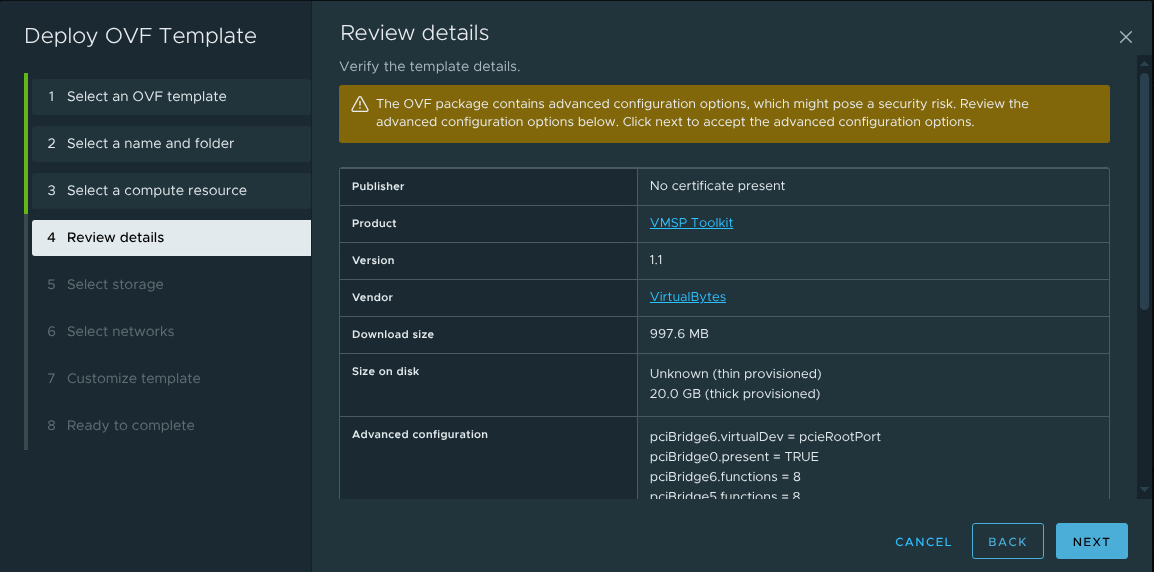
4. Review details. This page is the OVF metadata talking: Product VMSP Toolkit, Vendor VirtualBytes, version, and a ~1 GB download that thin-provisions from a 20 GB disk. Two things here are expected and fine: the advanced configuration options banner (standard Photon hardware config carried through the export) and Publisher: No certificate present — the OVA is unsigned in this release.
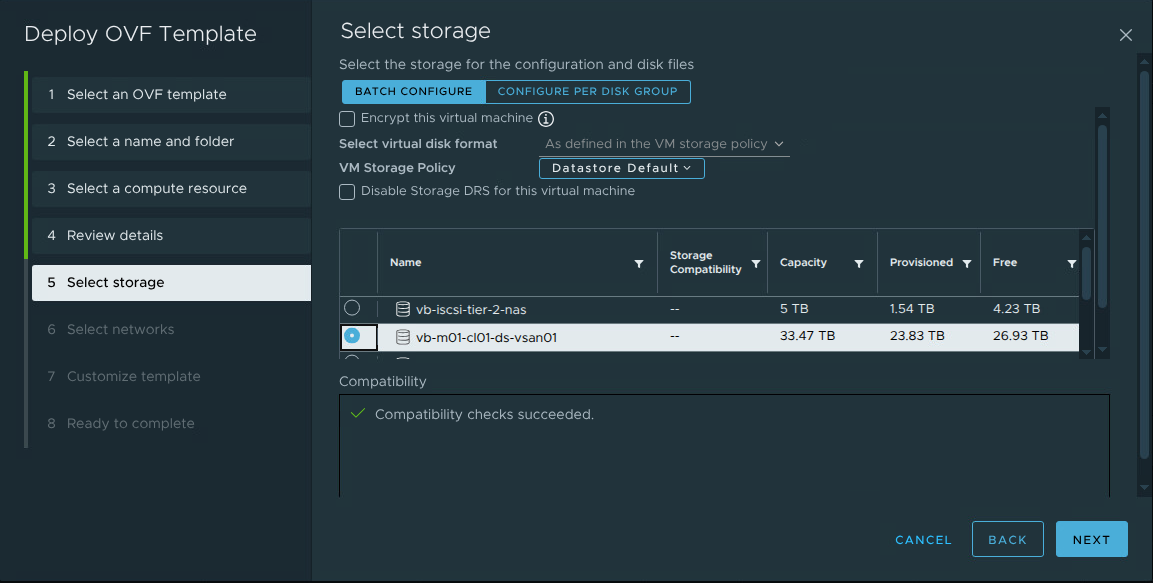
5. Storage. Pick a datastore; thin provisioning is the default and the right choice — actual usage lands around a couple of GB.
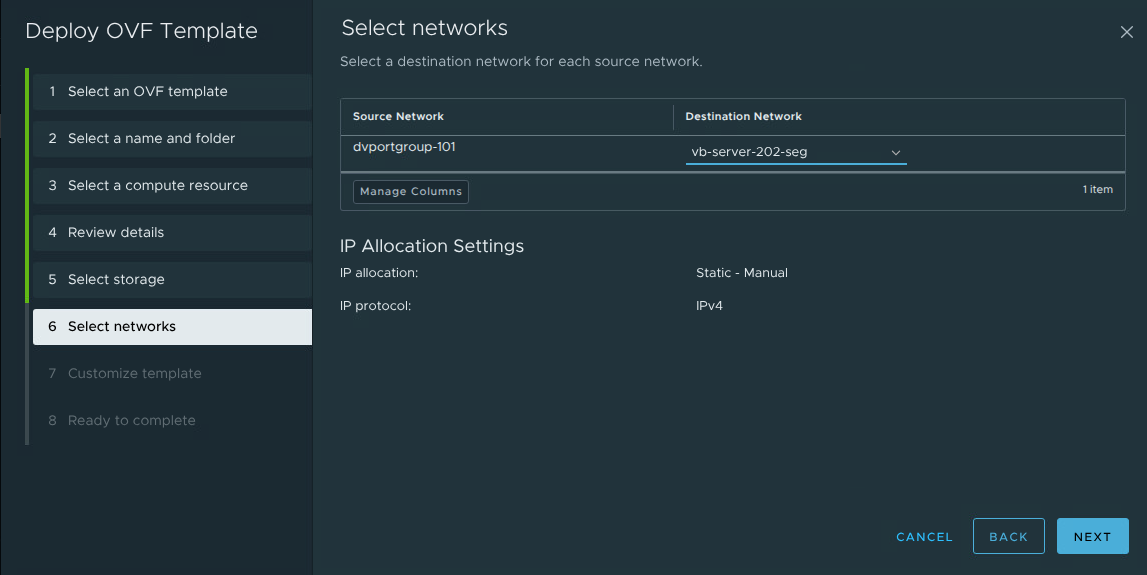
6. Network. Map the appliance’s NIC to a port group that can reach your VMSP nodes on SSH (22) and the cluster API endpoint on 6443.
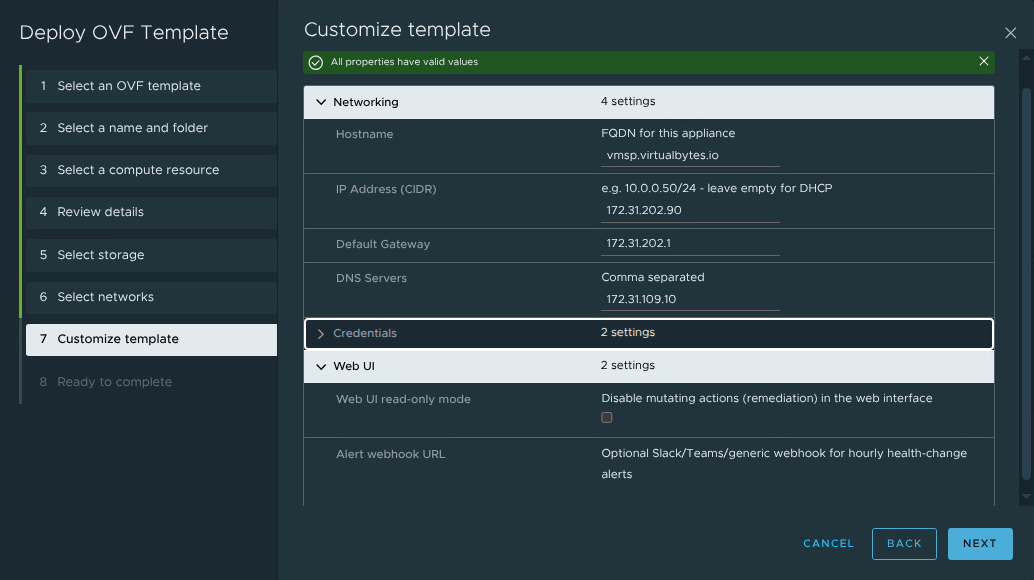
7. Customize template. The appliance’s entire configuration in one page: hostname, IP settings, credentials, and the Web UI options. Two details worth calling out — the IP field takes CIDR notation (172.31.202.90/24, not a bare address; leave it empty for DHCP), and the Web UI read-only mode checkbox is where monitoring-only teams disable remediation fleet-wide before the appliance ever boots. The optional webhook URL turns on hourly health-change alerts to Slack/Teams.
8. Finish and power on. Firstboot applies everything — network, hostname, unique SSH host keys, a fresh TLS certificate — and within about two minutes the appliance is reachable: SSH on 22, dashboard at https://<appliance>:8443. Sign in, accept the terms, click + Connect instance, and you’re looking at your fleet. The connectivity matrix will immediately tell you if the network placement from step 6 needs a firewall rule.
The fine print
VMSP Toolkit is an independent VirtualBytes project — not affiliated with Broadcom or VMware. It’s provided as-is, without warranty, and it’s built for lab and PoC environments. If you point it at production, you’re an administrator/engineer who understands and accepts the risks — the login screen will make you say so.
// download & docs — tools.virtualbytes.io