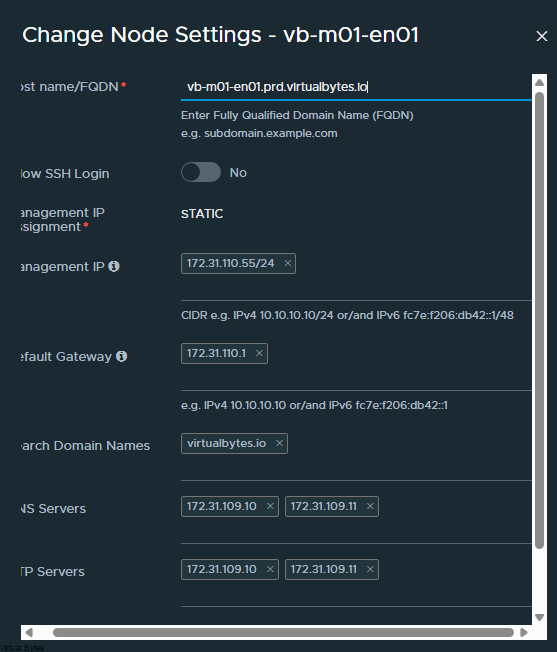
Are you hitting a roadblock during your VMware Cloud Foundation 9.0 Update 1 upgrade due to a DNS configuration issue? You’re not alone! Many administrators are encountering the error message . This post is designed to quickly get you back on track. We’ll walk through the most common causes of this DNS error, provide clear, step-by-step troubleshooting instructions, and show you how to verify the fix. We’ll focus on practical solutions you can implement right away, minimizing downtime and maximizing the benefits of VCF 9.0 U1.
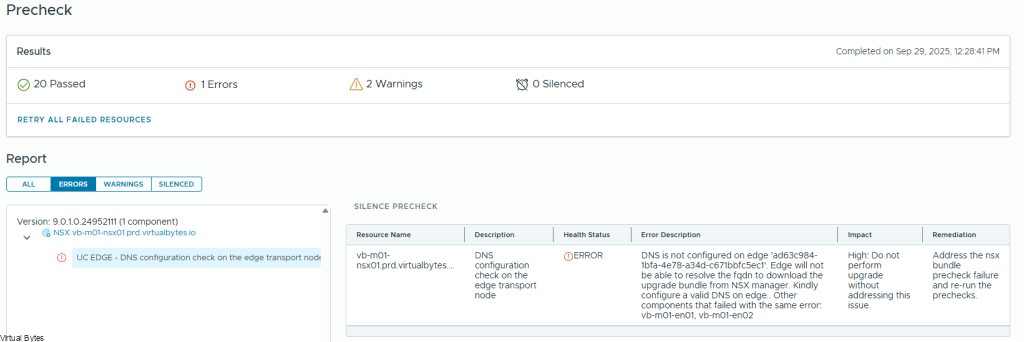
DNS is not configured on edge ‘ad63c984-1bfa-4e78-a34d-c671bbfc5ec1’. Edge will not be able to resolve the fqdn to download the upgrade bundle from NSX manager. Kindly configure a valid DNS on edge.. Other components that failed with the same error: vb-m01-en01, vb-m01-en02
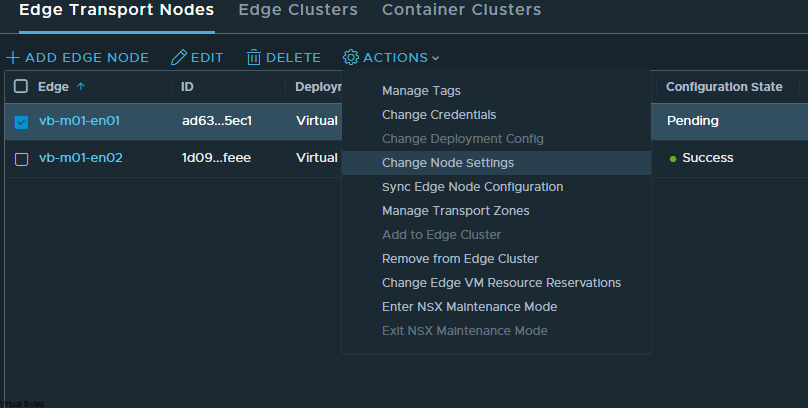
After you verify – reapply the same settings you see it will initiate a sync back to the edge node.