When deploying Application Virtual Networks (AVNs) within Aria Suite Lifecycle, certain configurations may become immutable post-deployment. This can occur with network settings for the X-Region and the A-Region.
To address this, direct access to the SDDC Manager via SSH is required. This allows for the execution of PostgreSQL commands to remove the AVN and initiate a new deployment with the desired configurations.
The AVN configurations are stored within the SDDC Manager database in the platform table. Once the following commands are executed, a refresh of the SDDC Manager UI will show that the AVN is no longer configured from the SDDC Manager’s perspective. However, the configuration in NSX will still exist and will require manual cleanup from within NSX.
Procedure:
SSH into your SDDC Manager and elevate to root
su -Removing AVN configuration from a VCF 5.2.x deployment

psql -h localhost -U postgresExecute “\l ” which will list all the databases that are for VCF in the SDDC manager appliance.
\l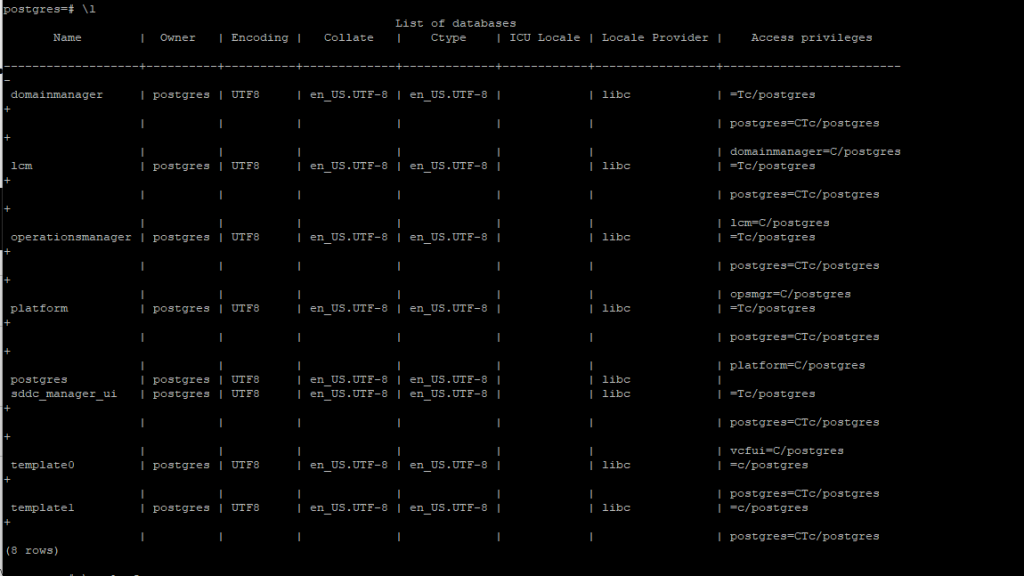
Connect to Platform
\c Platform
Execute \dt command, this will list all the tables inside the platform database.
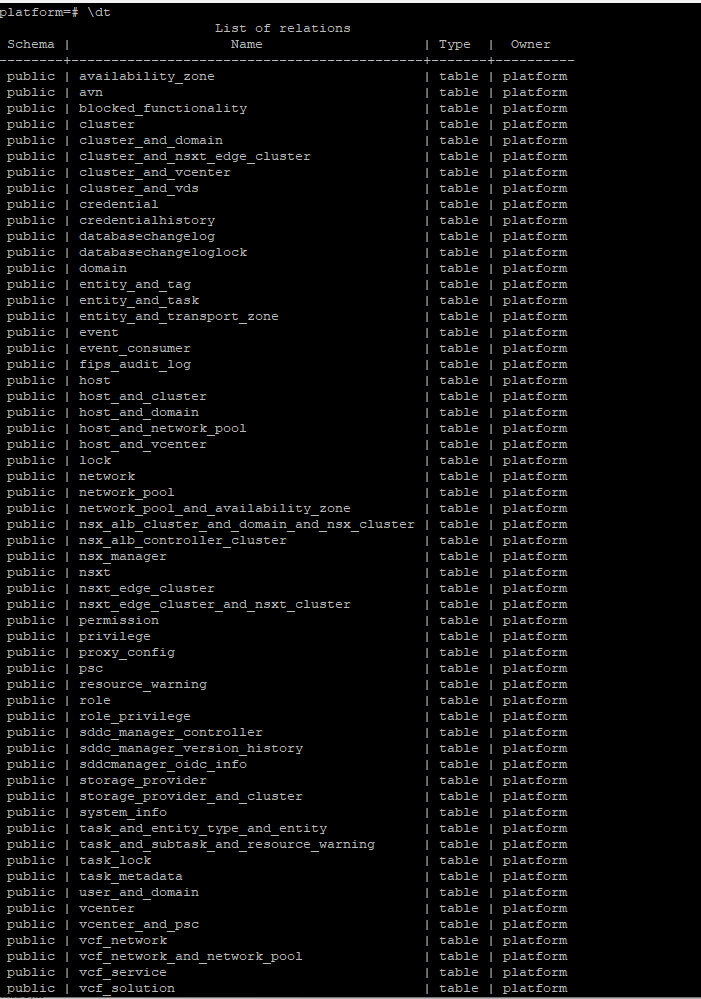
Next, will need to execute the SELECT command and choose
platform=# SELECT * FROM avn;
DELETE from avn;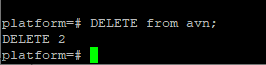
After cleaning up with the commands above, you’ll return to SDDC Manager and see that the UI no longer displays the AVNs. However, you’ll still need to remove the service interface and clean up a few things within NSX Manager.