Step 1 — Reset the Password
Do this per node. Don’t try to parallelize; bring each node back cleanly before moving to the next.
- Open a console to the vIDB appliance from the management vCenter.
- Reboot. At the Photon OS splash, hit
eto edit the GRUB entry. - Find the line that starts with
linuxand append to the end:
rw init=/bin/bash- Press F10 or CRTL+X to boot into a root bash shell.
- If the account was locked (it usually is if a monitoring system hammered it):
faillock --user vmware-system-user --reset- Reset the password:

passwd vmware-system-user- Kill the expiry so you don’t repeat this in 90 days:

chage -m 0 -M -1 vmware-system-user- Reboot hard:
reboot -fRepeat for every node in the cluster. Use the same temporary password on each — it just has to survive until Phase 3.
Step 2 — Remediate in Fleet Management
Now tell VCF Operations what you just did, so its stored credential matches the OS.
- VCF Operations UI → Fleet Management → Passwords → VCF Management
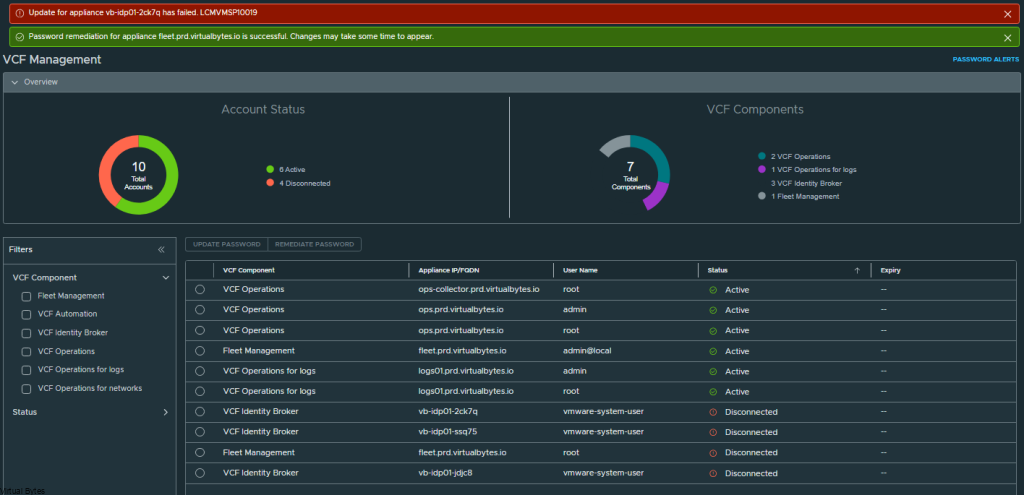
- Filter on VCF Identity Broker, select the node.
- Remediate Password → enter the temporary password from Phase 1 → Submit.
- Repeat per node.
At this point Fleet Manager’s database is aligned with the OS, but you’re not done.
Step 3 – Sync inventory and rotate to a permanent password
This is the step most runbooks miss, and it’s why the problem comes back the next time someone patches the cluster.
- Fleet Management → Lifecycle → Components → find Identity Broker → Manage.
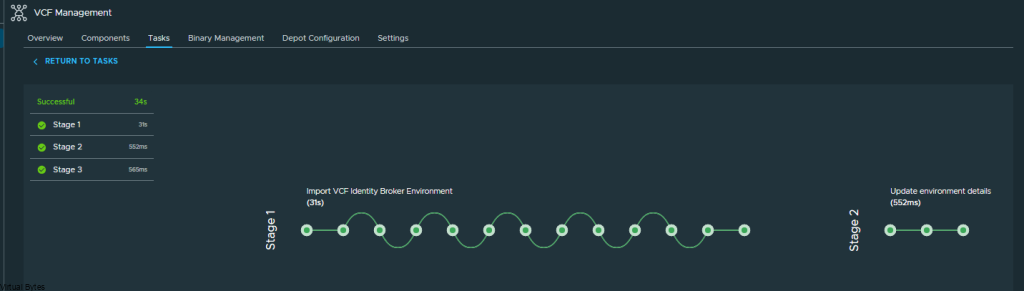
- Trigger Inventory Sync and wait for it to complete.
- Back to Fleet Management → Passwords → VCF Management, select the account and run Update Password to rotate to a final, permanent value.
That final rotation is what pushes the password into the sftp-password-secret in the vmsp-platform Kubernetes namespace — the secret Fleet Manager actually reads during upgrade/patch workflows. Skip it and your next LCM operation will fail with an auth error against a node that looks perfectly healthy everywhere else.
Gotchas worth knowing
chage -m 0 -M -1in Phase 1, step 7 — the KB lists this as optional. It isn’t, not really. Without it the service account expires on Photon’s default schedule and you’ll be back here in three months. Document the exception to your password policy instead.- Don’t skip Phase 3 even if everything “looks fine.” Remediate fixes the visible UI state; only Update Password touches the K8s secret. The gap between them is silent until the next upgrade.
- Embedded-mode vIDB is different. This procedure is for the appliance cluster. If you’re running the embedded broker inside the management vCenter, you don’t have a
vmware-system-userto reset the same way — that’s a vCenter root/SSO recovery path, not this one. - Back up before GRUB editing. Snapshot each node before rebooting into single-user mode. Typos in the kernel line are recoverable; a botched
passwdon a production identity node at 2am is less so.
Reference
- Broadcom KB 424323 — Resetting the vmware-system-user password for VCF Identity Broker
- VCF 9.0 TechDocs — Appliance VCF Identity Broker Model