If you’ve opened any tool on tools.virtualbytes.io in the last week, you’ve probably noticed a small new icon in the top and bottom right corner. Every tool now supports a full light and dark theme — and your choice follows you across the platform.
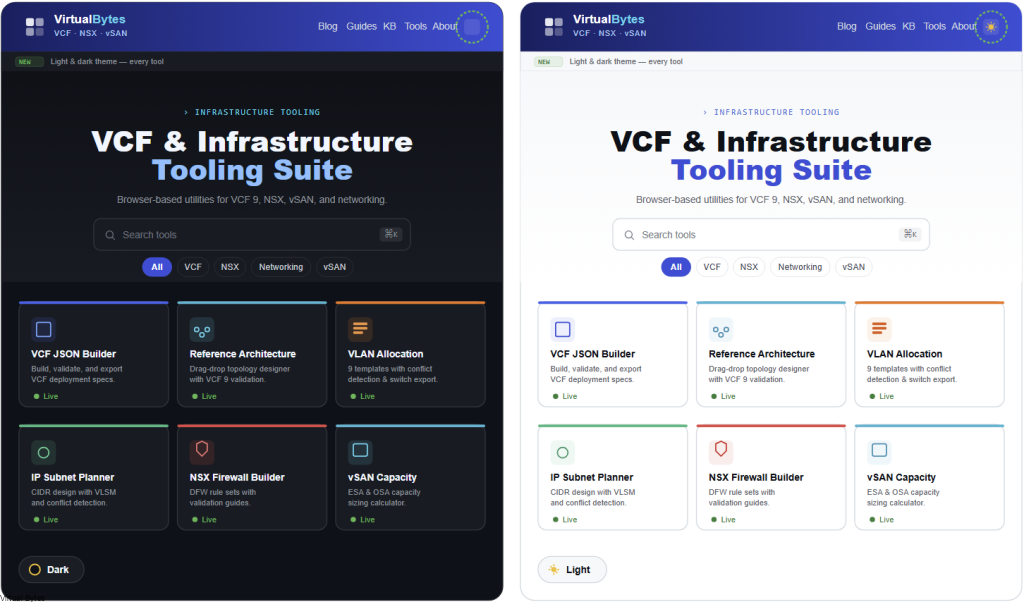
What’s new
- All 19 tools now have a working light/dark toggle — from the VCF JSON Builder to the Subnet Planner on tools.virtualbytes.io">IP Subnet Planner to the Reference Architecture Builder.
- Every help guide matches. No more dark guides next to a light tool, or vice versa.
- Your choice persists. Pick a theme once and it stays selected on every tool, every visit, on this device.
- Per-tool accent colors are preserved. The orange in the VLAN Planner, the cyan in vSAN Capacity, the red in the NSX Firewall Builder — they all still feel like themselves in either theme.
- Print output is clean. Hit Ctrl+P on any tool and you get a print-friendly page without the nav, sidebars, or dark backgrounds bleeding through.
Where to find the toggle
Top-right of the navigation bar on every page. Sun icon means you’re in dark mode (click to go light); moon icon means you’re in light mode (click to go dark).
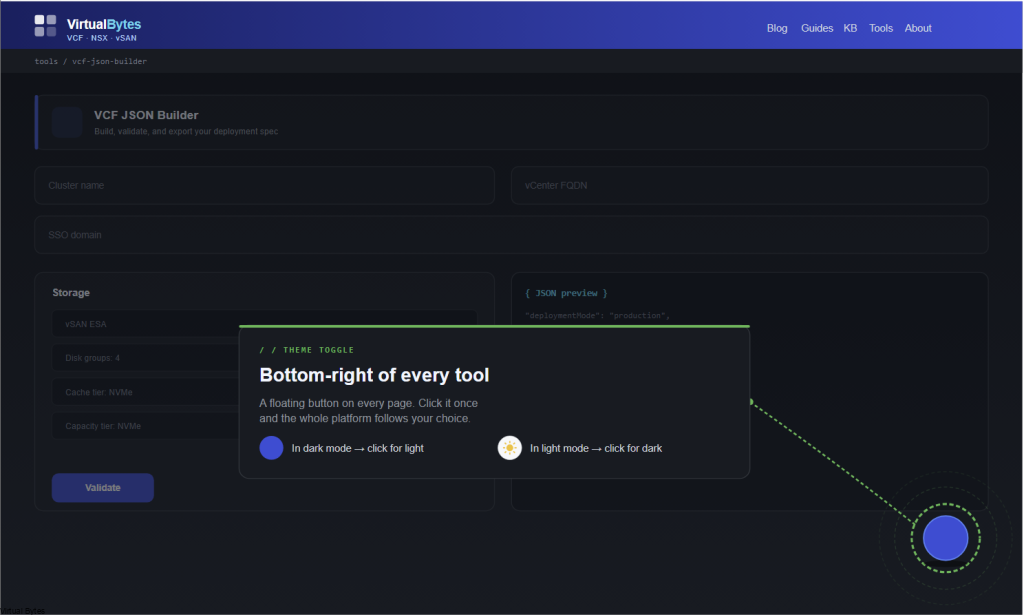
If you prefer your OS to drive it, the system follows your saved preference rather than overriding it — once you’ve made a choice, it sticks until you change it again.
Why bother
Two reasons. First, a lot of you are running these tools in datacenters and DR sites at 3am — dark mode is genuinely easier on the eyes there. Second, a lot of you are also pasting tool output into customer-facing documents, design reviews, and slide decks where light mode reads better. One platform, both contexts.
Same nothing-collected promise
Theme preference is stored in your browser’s local storage — same as it always has been for the tools that had per-tool toggles. Nothing leaves your device. No accounts, no tracking, no telemetry. Open DevTools and watch the network tab if you want to verify.
Try it
Head to tools.virtualbytes.io, click the icon in the top-right, and watch the whole page swap. If something looks off in either theme — a contrast issue, an accent color that doesn’t read well, anything — let me know.
More platform-wide updates coming over the next few weeks. As always: every existing free tool stays free, no dependencies, no data collected.