I rebuilt the Unified Access Gateway in my lab recently, moving it onto a proper DMZ network with a second NIC for management. Logon worked first time from outside. Launching a desktop from the browser did not. Every attempt ended on a page like this:
https://horizon.example.com:8443/r/65155CF4.../certAccept.html?numPages=1It cost me an evening, mostly because the obvious explanations were wrong. Here is what that page actually means, and how to get to the real cause quickly.
What certAccept.html is telling you
When the Horizon web client launches a desktop, the browser opens a WebSocket to the Blast Secure Gateway on the UAG, at whatever address the Blast External URL says. Out of the box that is port 8443. The long hex string in the path is a route token the Connection Server handed to the gateway when you logged in.
If that WebSocket fails, the web client assumes the browser doesn’t trust the certificate on the Blast port, and sends you to certAccept.html so you can accept it. That made sense back when plenty of people ran self signed certificates on 8443. Today it mostly means the browser couldn’t get through, for any reason at all.
So the page is a symptom, not a diagnosis.
Rule out the certificate first
This takes ten seconds from any machine that can reach the gateway:
openssl s_client -connect uag.example.internal:8443 -servername horizon.example.com </dev/null \
  | openssl x509 -noout -subject -issuer -enddate
Mine served the same public certificate on 8443 as on 443. Trusted, valid, right name. Not the certificate.
Let the Blast gateway tell you what happened
Right after a failed launch, download a log archive from the UAG admin console and open bsg.log. Every launch leaves two lines worth reading:
[INFO] Added route <token> ... to target 10.0.40.10|22443
[INFO] Removing idled route <token> to target 10.0.40.10|22443, idled for 60.07 seconds
The first line says the Connection Server did its job, and the gateway knows which desktop to send you to. The second says the gateway waited a minute for your browser and nothing showed up.
Compare that with a request that does reach the Blast port. Hit 8443 by hand with curl and no token, and you get this:
[ERROR] Missing route token in request /*** of client ...That error is actually good news. It proves a connection made it all the way to the Blast gateway. If you see routes being added and idled, and not a single client line during your test, the browser’s connection is dying before it reaches the appliance. Stop looking at the desktop, the agent and the routes behind the gateway. Look at everything in front of it.
The two things in front that fooled me
A load balancer that health checks 443 for everything
My gateway sits behind a load balancer with listeners for 443 and 8443. Like most UAG setups, every pool’s health monitor probes /favicon.ico on 443, because that is how a UAG reports its health and quiesce state for the whole appliance. That is the right design. It also means the 8443 pool stays green when 8443 itself can’t be reached.
The dashboard said everything was healthy, and it was, on 443. Somewhere on the new DMZ network, 443 was allowed through and 8443 was quietly dropped. The load balancer had nothing to do with it and gave me no reason to suspect anything.
A proxy that answers on 8443 itself
The public name also goes through a CDN proxy. When I opened https://horizon.example.com:8443 from outside, it loaded, and I took that as proof the port was open. It wasn’t the gateway answering. The proxy accepts 8443 on its own edge and returns its own page when the origin doesn’t respond.
Test the gateway, not the name. Look for that missing route token line in bsg.log, or curl the gateway’s own address from somewhere on the same path the users take.
The fix I kept: Blast over 443
I could have opened 8443 end to end and moved on. I went the other way and put Blast on 443.
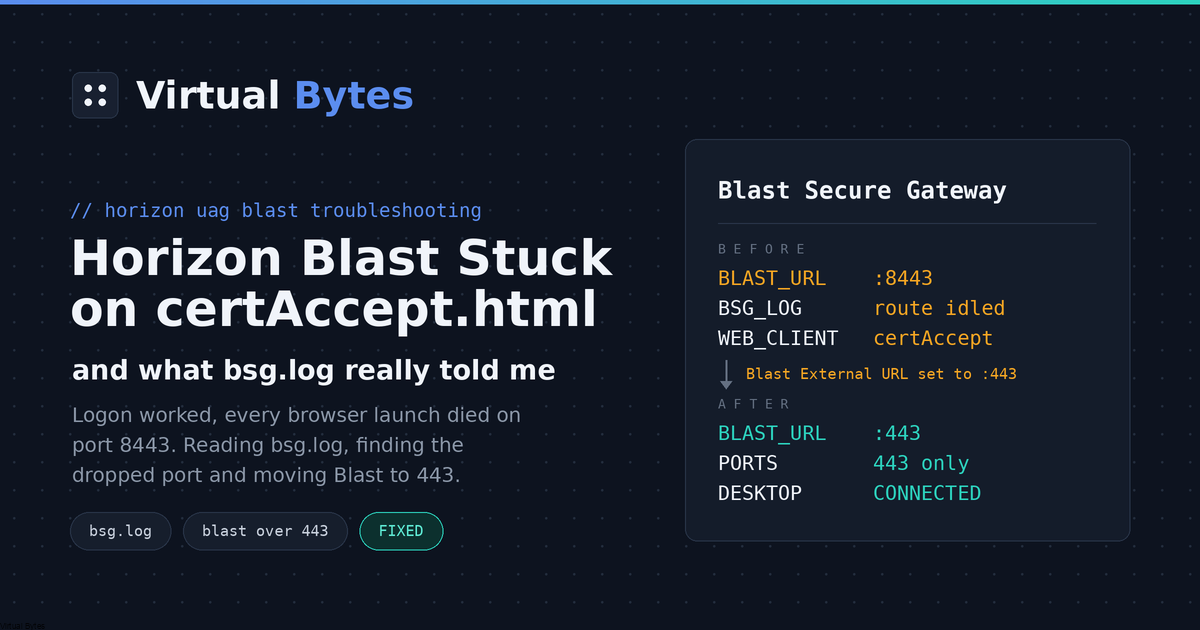
In the gateway’s Horizon Settings, set Blast External URL to https://horizon.example.com:443. The UAG can share 443 between the portal, the XML API and Blast WebSockets through TLS port sharing, which was already enabled on mine. Save, then log in again from a fresh tab, because a session that already started keeps the old URL. The desktop came straight up.
Why I prefer it this way:
- One port open to the internet instead of two.
- Nothing to change on the load balancer, the firewall or the proxy.
- Blast over UDP was never going to make it through a proxy that only carries TCP, so I gave up nothing.
If your clients reach the gateway directly with no proxy in between, think about UDP before you copy this. Blast falls back to TCP without complaint, but UDP is noticeably better on lossy or high latency connections.
Afterwards, tidy up: remove the old horizon.example.com:8443 entry from the gateway’s allowed host headers, and close 8443 anywhere you opened it.
My checklist for next time
- Check the certificate on the Blast port. If it’s trusted, the certificate isn’t your problem, whatever the page says.
- Pull
bsg.logafter a failed launch. Routes added and then idled, with no client line, mean the connection never arrived. - Remember that a load balancer health checking 443 tells you nothing about 8443.
- Test the gateway directly, not through a proxy that answers on the same port.
- Consider Blast over 443, and one less port on the internet.