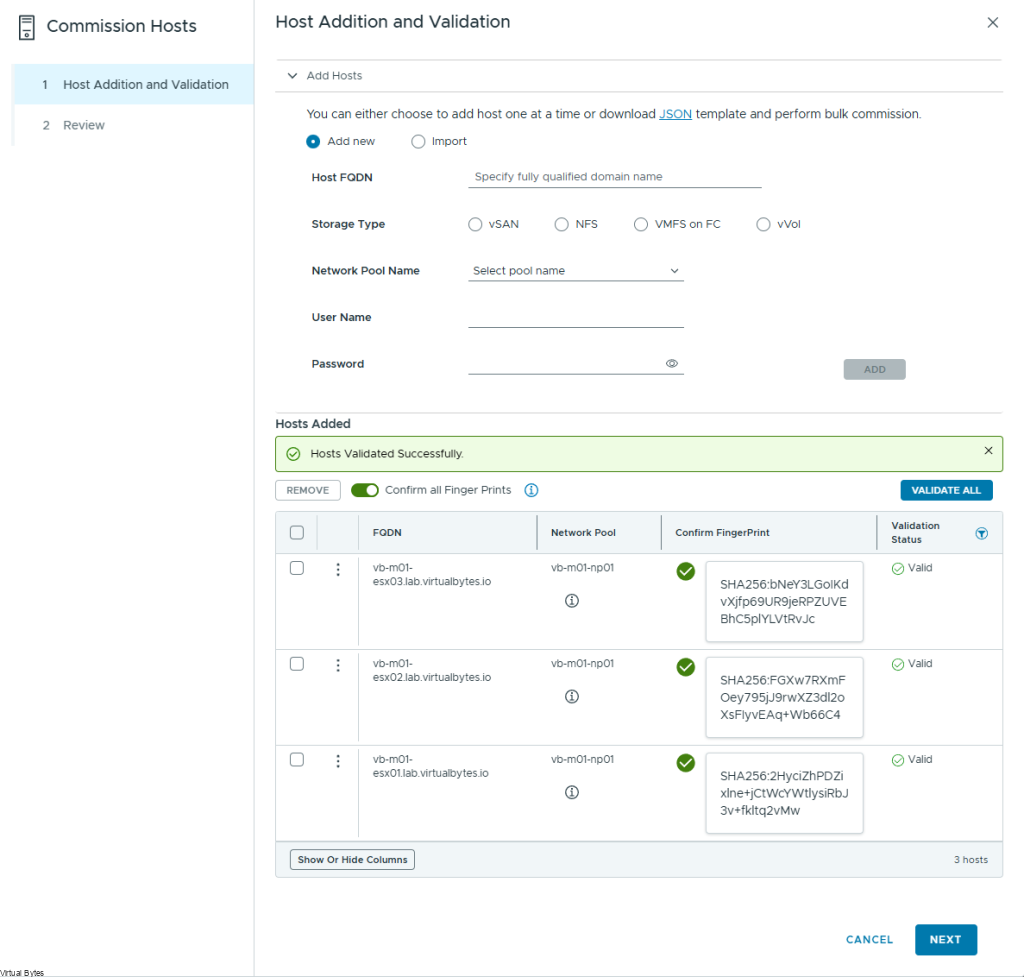
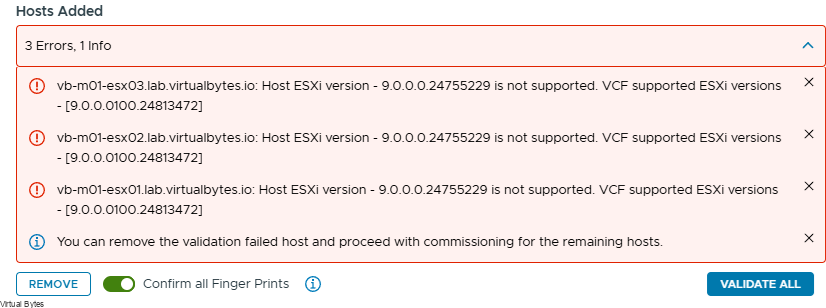
Are you experiencing an issue? After deploying VMware Cloud Foundation 9 (VCF), you might want to expand your cluster. If you’ve already upgraded from the original ESXi version 9.0.0.0.24755229 to the patched version 9.0.0.0.100 24813472, you may find that you are unable to do so. This guide will walk you through the process of retrieving the patched ISO image from your cluster to upgrade your new ESXi nodes.
This issue indicates that environments running versions older than VMware Cloud Foundation 9 may be unable to deploy their desired versions of the platform. Ideally, Broadcom Engineering will enable end users to select their preferred deployment version, rather than being restricted to a fixed baseline.
Error Message:
Resolution:
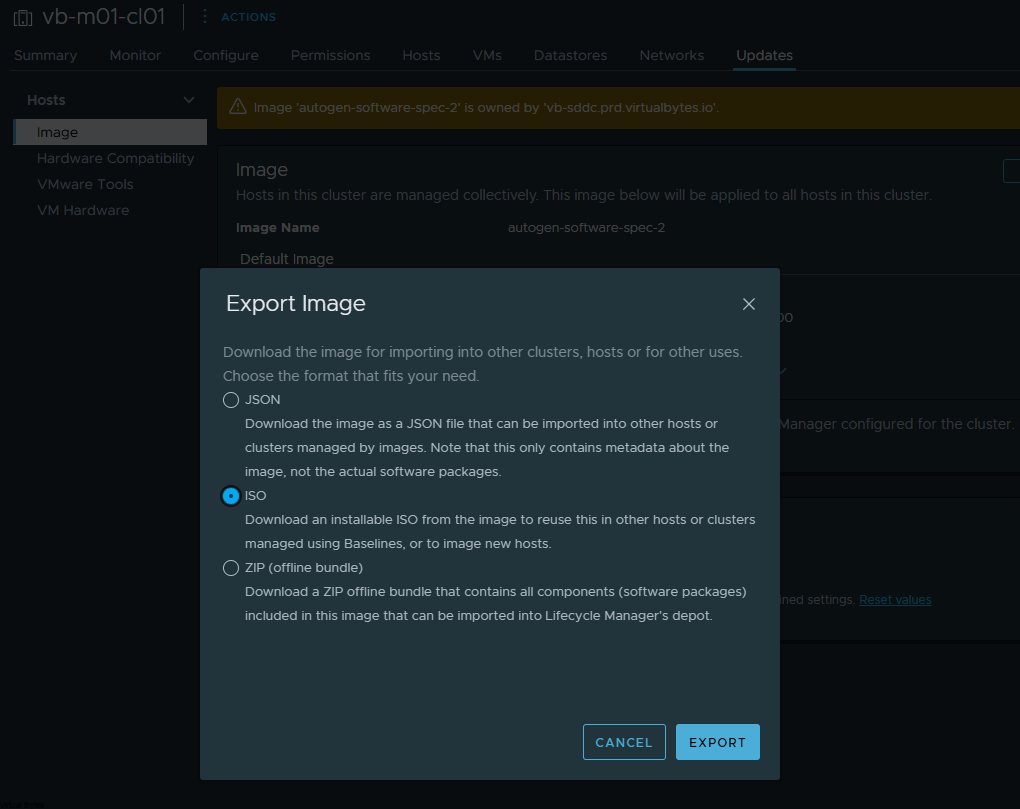
Log into vSphere -> Go to Cluster -> Updates
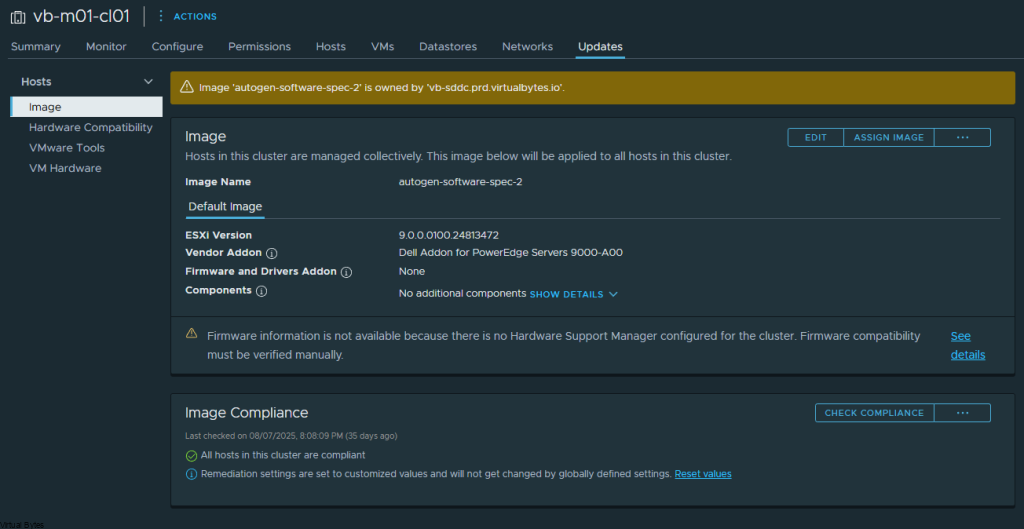
Click the … and Export Image -> ISO
Once you have upgraded the ESXi hosts to the same cluster level image, you will be able to successfully validate them.