Once the VCF services runtime was sorted out (that story is in my previous post about VCFMS-HEALTH-002), I figured the rest of the 9.1.1 to 9.1.2 upgrade would be a matter of clicking buttons and waiting. The management components went through fine. Then I got to the vCenter step for the management domain and spent the better part of an evening watching it fail in three different ways.
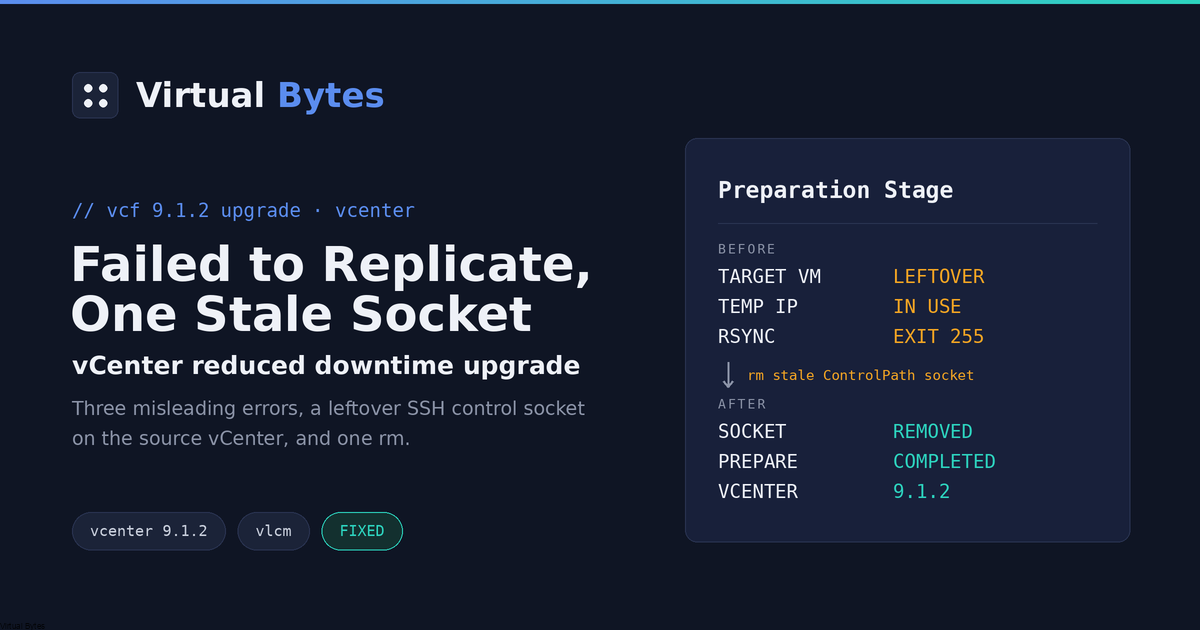
The final cause was a single leftover file on the source vCenter, zero bytes in size. None of the error messages pointed anywhere near it. This post covers how I got there, the things that turned out not to matter, and the rest of the upgrade once vCenter was out of the way.
TL;DR
- In VCF 9.1, vCenter is upgraded with the reduced downtime method. A new target appliance is deployed on a temporary IP, data is replicated across, and you switch over later.
- A failed attempt can leave two things behind: the target appliance VM, and a stale SSH control socket on the source vCenter in
/storage/lifecycle/vlcm/.ssh/. - The leftover VM gives you “VM already exists” and “IP address already in use”. Easy enough.
- The leftover socket gives you
Failed to replicate the current vCenter data on the target vCenter, and the logs sayHost key verification failed. The host keys are not the problem. Delete the socket file and the Preparation Stage goes through.
How the vCenter upgrade works in 9.1
This matters for everything that follows, so it’s worth a minute. In SDDC Manager the vCenter upgrade is split across the domain’s upgrade sequence:
- vCenter Preparation Stage. A new 9.1.2 appliance called
vcenter-upgrade-target-appliance_<domain uuid>is deployed on a temporary IP you provide. The source vCenter copies its files and database over and keeps the two in sync. - NSX Manager upgrade.
- vCenter Switchover Stage. The new appliance takes over the real name and IP, and the old VM is powered off.
- ESX, then NSX Edge clusters and NSX finalize.
The part doing the heavy lifting on the source vCenter is the vlcm service, and its log at /var/log/vmware/vlcm/vlcm.log is where the real answers are. The errors in the SDDC Manager UI are summaries of summaries.
Failure 1: the VM already exists
My first attempt failed earlier in the afternoon. I didn’t dig into that one at the time, and by the time I did, the evidence had rolled out of the logs, so I honestly don’t know what killed it. What I do know is what it left behind. The retry failed at the precheck:
vCenter upgrade failed at the VCENTER_UPGRADE_PRECHECK stage.
Upgrade validation has failed.
A VM with the name vcenter-upgrade-target-appliance_xxxxxxxx-xxxx-xxxx-xxxx-xxxxxxxxxxxx
already exists in the deployment datacenter.
vCenter upgrade is rolled back.
The UUID in the name is the domain ID, so every attempt for that domain asks for exactly the same VM name. The rollback undoes the upgrade itself but doesn’t remove a target that was already there, so this will fail forever until you deal with it.
Before deleting anything called “vcenter” in a management domain, I wanted to be sure it wasn’t my actual vCenter. If a previous run had made it past switchover, the “target” would be the live one. The VM summary settled it quickly:
- Guest DNS name was
localhost. A configured vCenter reports its real FQDN. - The console showed 9.1.2 with the “please visit the following URL to configure this appliance” screen. Deployed, never configured.
- Its IP was the temporary address (10.0.0.8).
nslookupon the real vCenter name returned 10.0.0.10.
So it was a stray. I deleted it and tried again.
Failure 2: the IP address is already in use
Scheduling immediate upgrade of bundle failed. Upgrade Spec Invalid Data: ...
User input is not valid for the VC/PSC upgrade. The given IP address is already in use,
Please provide a free IP address.
A quick ping of 10.0.0.8 still got replies. The stray appliance was still powered on and holding the address. Power off, Delete from Disk, ping goes quiet, schedule again. That one went through the precheck and started deploying a fresh target, and I thought I was done.
Failure 3: failed to replicate
About an hour later:
vCenter upgrade failed at the VCENTER_UPGRADE_PREPARATION stage.
com.vmware.vcf.error.update.vc.rdu.failed

Failed to replicate the current vCenter data on the target vCenter.
Verify that the source vCenter 10.0.0.10 is able to connect to the target vCenter 10.0.0.8.
vcenter.deployment.migration_upgrade.prepare.replicate_database_file.error
The rollback had already removed the new target, so I couldn’t test connectivity between the two. Everything from here on came from the source vCenter. SSH in as root, type shell, and work from there.
Things I ruled out
Disk space. Replication stages data under /storage, so a full partition is a classic cause. df -h showed every partition under 5% used.
The root account. I’d had root lockouts on this vCenter before, and the replication runs over SSH as root, so this was my favourite theory for a while. It didn’t hold up:
chage -l root | grep -i expires
faillock --user root
journalctl -u sshd --since "-8h" --no-pager | grep -iE 'fail|invalid|locked' | tail -25
The password was months from expiring, faillock showed zero failures, and the only failed root logins in the journal came from my own workstations, hours before the upgrade window. Fat fingers, not the upgrade.
Stale host keys. This one fooled me for a bit. Searching for the actual error in the vlcm log turned up this:
grep -E ' (ERROR|WARN) ' /var/log/vmware/vlcm/vlcm.log | grep -vE 'print_report|locerrors' | tail -40Rsync failed:
OUT:001 Control socket connect(/storage/lifecycle/vlcm/.ssh/xxxxxxxx): Connection refused
OUT:002 Host key verification failed.
OUT:003 rsync: connection unexpectedly closed (0 bytes received so far) [sender]
OUT:004 rsync error: unexplained error (code 255) at io.c(232) [sender=3.4.4]
Replication of /opt/vmware/share/config/idm.reg failed, err:exit status 255
...
Got failure while working on FileReplicate state“Host key verification failed” on an IP that had just been reused by a brand new appliance looks like an open and shut case. The vlcm service keeps its own known hosts file at /storage/lifecycle/vlcm/.ssh/known_hosts, and sure enough it held four keys for 10.0.0.8 from the first target.
A small aside: ssh-keygen -R refused to touch that file, complaining it was “not a valid known_hosts file”. One of the four entries was an [email protected] key, the new post quantum hybrid type, which the OpenSSH on the 9.1.1 source can’t parse. Since every line in the file was for the old target anyway, I backed it up and emptied it.
The next attempt failed exactly the same way. When I checked the file afterwards it was full again, this time with the new target’s keys. vlcm writes the target’s keys itself during the run, so the keys had never been the problem.
What was actually going on
The clue was in the lines just before the rsync failure, where vlcm sets up its SSH connection:
grep -E 'ssh.go|ControlMaster|-O check' /var/log/vmware/vlcm/vlcm.log | tail -20Starting main SSH connection /usr/bin/ssh, [-nNf -i /storage/lifecycle/vlcm/.ssh/id_ecdsa
-o ControlMaster=yes -o ControlPath=/storage/lifecycle/vlcm/.ssh/%C ...
Successfully started main SSH connection
Closing master connection
Failed to close the master connection, err:exit status 255,
out: Control socket connect(/storage/lifecycle/vlcm/.ssh/xxxxxxxx): Connection refusedvlcm opens one master SSH connection to the target and then pushes all the rsync traffic through it via a control socket. The socket’s file name comes from %C, which is a hash of the local host, remote host, port and user. Same source, same temporary IP, same root user: every attempt uses exactly the same socket file name.
“Connection refused” on a Unix socket means the file exists but nothing is listening on it. So I looked:
ls -la /storage/lifecycle/vlcm/.ssh/
ps -ef | grep -v grep | grep -F 'ControlPath=/storage/lifecycle' || echo "no ssh master processes"
srw------- 1 root root 0 Nov 25 16:45 xxxxxxxx
-rw------- 1 root root 655 Nov 25 23:26 id_ecdsa
-rw-r--r-- 1 root root 253 Nov 25 23:26 id_ecdsa.pub
-rw------- 1 root root 2724 Nov 25 23:26 known_hosts
no ssh master processesThere it was. A socket file timestamped from the very first attempt that afternoon, with no process behind it. That first run died without cleaning up its master connection, and every attempt after it tripped over the corpse. As far as I can tell, with the socket path already taken, the new master couldn’t bind it and multiplexing quietly didn’t happen. rsync then fell back to a plain ssh that doesn’t use vlcm’s own known hosts file, and that’s where “Host key verification failed” came from. A symptom, three steps removed from the cause.
The fix
On the source vCenter, confirm nothing is using the socket (the ps check above), then remove it:
rm -f /storage/lifecycle/vlcm/.ssh/<socket file>
ls -la /storage/lifecycle/vlcm/.ssh/
# should leave only id_ecdsa, id_ecdsa.pub and known_hosts
Before retrying, make sure there’s no vcenter-upgrade-target-appliance_* VM left in the inventory and that the temporary IP doesn’t answer ping.
One more thing that caught me out: after a failed Preparation Stage there’s no Retry button on the domain’s Upgrades page. The card just shows CONFIGURE again. That is the retry. Walk through the wizard with the same settings and start it.
I left a filtered tail running on the source vCenter so I’d see trouble the second it happened:
tail -n0 -F /var/log/vmware/vlcm/vlcm.log | \
  grep --line-buffered -E 'main SSH connection|Control socket|Host key|rsync error|Got failure|Transition from'
It stayed quiet, and the Preparation Stage came back Completed. Once that happens, the vcenter-upgrade-target-appliance VM is your upgraded vCenter waiting for switchover. Do not delete that one.
Noise you can ignore
A few things looked alarming during all this and turned out to be nothing:
- The vlcm log is full of
ERROR ... source version 9.1.1.0200 does not support update to target version 6.7.0...lines, one for every vCenter build in the depot catalog. That’s vlcm filtering the list of versions, nothing more. - SDDC Manager reported the domain as “partially upgraded” with the NSX cluster named. NSX Managers are upgraded before vCenter and the host side comes later with ESX, so that’s just where the sequence is.
- Trying to cancel the upgrade plan mid run gives “Validation failures occurred while trying to delete target version”. You can’t pull the plan out from under a running upgrade or a domain that’s already partly on the new version, and that’s probably for the best.
The rest of the upgrade
With vCenter prepared, the remaining steps were uneventful, which is how upgrades should be.
NSX Managers. Two minutes after the NSX Manager upgrade started, NSX raised Critical alarms on every host transport node: Scrx, Security Services Health Degraded. In my case they lined up exactly with the managers moving to 9.1.2 while the host side was still on 9.1.1, and I left them alone until ESX was done.
vCenter switchover. A few minutes of the vSphere Client being unavailable while the new appliance took over the real name and IP. The old VM ends up powered off. I’m keeping it around for a little while before deleting it.
ESX. The hosts rolled through one maintenance mode at a time and both clusters came out the other side on 9.1.2. Afterwards SDDC Manager offered a Configuration Upgrade that sets UserVars.SuppressShellWarning to False on every host. That only brings back the yellow “SSH is enabled” warnings, so apply it or skip it depending on how you feel about those.
NSX Edge clusters and finalize. Two edge clusters, each through precheck, upgrade and postcheck, then NSX finalize. 25 minutes start to finish.
Final state on the Component Versions tab, everything On Target:
| Component | Version |
|---|---|
| SDDC Manager | 9.1.2.0.25936686 |
| VMware NSX | 9.1.2.0.25929667 |
| VMware vCenter | 9.1.2.0.25946533 |
| ESX (both clusters) | 9.1.2.0.25946735 |
vSAN disk format. After ESX, the cluster’s vSAN services page said “All 21 disks on version 24.0. Some services may not provide the complete feature set.” It’s optional and it’s one way, so I left it until everything else was finished. The precheck passed, the upgrade ran with all VMs online, and the disks are now on 25.0.
If your vCenter upgrade fails in 9.1
The short checklist I’d run before every retry now:
- Search the inventory for
vcenter-upgrade-target-appliance. If it’s there, confirm it isn’t your live vCenter (hostname, IP, console), then power it off and delete it. - Ping the temporary IP. Nothing should answer.
- On the source vCenter,
ls -la /storage/lifecycle/vlcm/.ssh/. Any socket file (permissions starting withs) with no ssh process behind it should go. - Read
/var/log/vmware/vlcm/vlcm.lograther than trusting the UI’s summary. Filter outprint_report,locerrorsand theupdate.go:242version spam and the real error is usually sitting right there.
Two upgrade problems in one release, and neither had anything to do with the thing the error message told me to check. I’m starting to read every VCF error as “something is wrong somewhere near here” and go straight to the component’s own log. It hasn’t let me down yet.