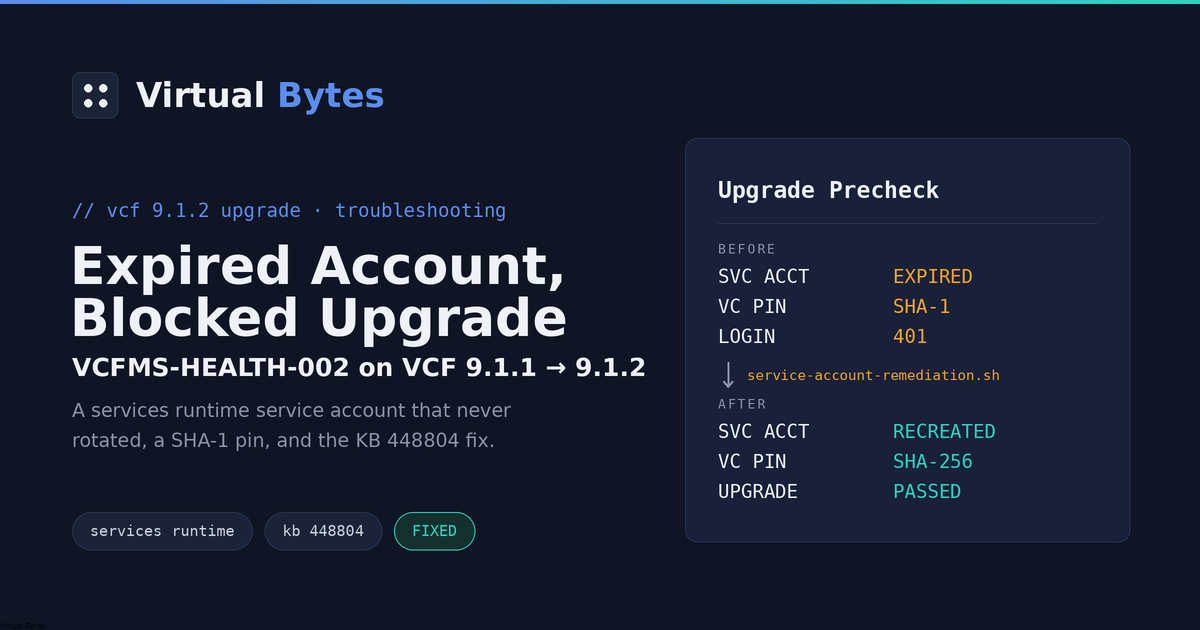
I went into the VCF 9.1.1 to 9.1.2 upgrade expecting a quiet evening. About twelve minutes in, the Fleet lifecycle Upgrade Workflow went red on the very first real subtask, Stage Fleet lifecycle plugin in VCF services runtime, and stayed red on retry. Nothing had actually been upgraded yet, which was the good news. The bad news was that the error pointed at something I had never touched.
This post walks through how I tracked it down, what the actual cause was, and how I fixed it. If you just want the answer, skip to the TL;DR.
TL;DR
- VCF services runtime (VMSP) talks to vCenter with an auto-generated SSO account called
[email protected]. - That account is supposed to rotate every 30 days. Mine never did, so after 90 days the password expired and the upgrade pre-check failed with
VCFMS-HEALTH-002. - Rotation was broken because the vCenter thumbprint pinned in VMSP was SHA-1, while the deployed scripts validate SHA-256.
- Broadcom KB 448804 ships a script (
service-account-remediation.sh) that fixes the pin, repairs the roles and recreates the service account. After running it, the retry went straight through.
The error
The subtask messages looked like this on the first attempt:
Running Component Stage Prechecks. Status: Failed

Platform Health Check Error [platform-vmsp-platform-validate-resources-vsphere-resources :
unable to create vSphere client: ServerFaultCode: Cannot complete login due to an
incorrect user name or password.] [VCFMS-HEALTH-002]

Platform Health Check Error [platform-vmsp-platform-validate-template-vsphere-resources :
unable to create vSphere client: ServerFaultCode: Cannot complete login due to an
incorrect user name or password.] [VCFMS-HEALTH-002]
A retry gave me a bit more to work with, including the name of the check that matters most:
Platform Health Check Error [platform-vmsp-platform-platform-vc-serviceaccount-http :
Unexpected status code: 401 expected: 200, response body:
{"type":"com.vmware.vapi.std.errors.unauthenticated", ... }] [VCFMS-HEALTH-002]

Platform Health Check Error [platform-deployments-core : 1 of 34 resources are not ok:
vmsp-operator: wrong resource state: Failed - Progress deadline exceeded;] [VCFMS-HEALTH-002]

Platform Health Check Error [platform-vmsp-platform-platform-snapshots-snapshot :
unable to create vSphere client: ServerFaultCode: Cannot complete login due to an
incorrect user name or password.] [VCFMS-HEALTH-002]
Two things worth knowing about this. First, VCFMS-HEALTH-002 is a generic “platform health check failed” code. It shows up for several unrelated problems, so don’t go hunting by error code alone. Read the bracketed check name. Second, “incorrect user name or password” sounds like someone typed something wrong. Nobody had. The vmsp-operator failure turned out to be fallout from the same login problem, not a separate issue.
Step 1: Figure out who is actually failing to log in
My first instinct was to look in VCF Operations for a credential to fix, then in the vSphere Client under Users and Groups for a locked or expired account. Nothing was locked, nothing was disabled, and there was no account with an obvious VMSP name in the list. So I went to vCenter and asked it directly.
SSH to vCenter as root, drop into shell, and look at the vAPI endpoint log for unauthenticated requests:
grep -hiE "cannot login|failed to authenticate|unauthenticated|invalid credentials" \
  /var/log/vmware/vpxd/vpxd*.log /var/log/vmware/vapi/endpoint/endpoint*.log 2>/dev/null | tail -30
That came back full of lines like these, a few seconds apart:
... | 10.0.0.64 | "POST /rest/com/vmware/cis/session?~action=get HTTP/1.1" | 401 | ... | "infrastructure.cluster.x-k8s.io/v1beta2" | ... | com.vmware.vapi.std.errors.unauthenticated
... | 10.0.0.64 | "DELETE /rest/com/vmware/cis/session HTTP/1.1"          | 401 | ... | "infrastructure.cluster.x-k8s.io/v1beta2" | ... | com.vmware.vapi.std.errors.unauthenticated
... | 10.0.0.64 | "POST /rest/com/vmware/cis/session HTTP/1.1"            | 401 | ... | "synthetic-checker"                       | ... | com.vmware.vapi.std.errors.unauthenticated
That told me almost everything:
- The source IP was one of the VCF services runtime nodes.
- The user agent
infrastructure.cluster.x-k8s.io/v1beta2is CAPV, the Cluster API Provider for vSphere. That’s the controller inside VMSP that manages the platform’s own VMs on vCenter. It was stuck in a 401 loop. synthetic-checkeris the health check the upgrade runs. Same 401.
One small trap here: vCenter logs in UTC. My first grep on the SSO log filtered on the local date and came back empty, because in UTC it was already the next day. Filter on the UTC date or you’ll think there’s nothing there.
Step 2: Find the account VMSP uses
Now I knew it was VMSP, I needed the username it was sending. SSH to a VCF services runtime control-plane node as vmware-system-user, sudo -i, and point kubectl at the admin kubeconfig:
export KUBECONFIG=/etc/kubernetes/admin.conf

# Which secret does CAPV use for vCenter?
kubectl get vspherecluster -A -o jsonpath='{range .items[*]}{.metadata.namespace}{" "}{.spec.identityRef}{"\n"}{end}'
# vmsp-platform {"kind":"Secret","name":"vcf-runtime-vsphere-secret"}

# Decode the username only. Leave the password alone.
kubectl get secret vcf-runtime-vsphere-secret -n vmsp-platform -o jsonpath='{.data.username}' | base64 -d; echo
# [email protected]
So the account was [email protected], with a random suffix generated at deployment. It does not show up in the vSphere Client’s Users and Groups list, which is why I didn’t find it earlier. kube-system/vsphere-cloud-secret (used by the vSphere cloud provider) holds the same credentials.
Step 3: Check the account in SSO
Back on vCenter, dir-cli will show you the account even though the UI won’t:
/usr/lib/vmware-vmafd/bin/dir-cli user find-by-name --account svc-vcfsp-vc-xxxxxx --level 2

Account: svc-vcfsp-vc-xxxxxx
UPN: [email protected]
Account disabled: FALSE
Account locked: FALSE
Password never expires: FALSE
Password expired: TRUE
Password expiry: password expired at 20261123170003
There it was. The password had expired the day before I started the upgrade. The platform had been running happily up to that point, so nothing complained until something actually needed a fresh vCenter session.
According to Broadcom’s account documentation, this account is meant to be rotated automatically every 30 days. The default vsphere.local password lifetime is 90 days. If rotation is working, you never get anywhere near expiry. Mine clearly hadn’t rotated once.
A detour that didn’t work (so you can skip it)
My first idea was the quick fix: tell SSO the password never expires and move on.
/usr/lib/vmware-vmafd/bin/dir-cli user modify --account svc-vcfsp-vc-xxxxxx --password-never-expiresThe flag applied, but Password expired stayed TRUE, and a test login with the password from the VMSP secret still returned 401. The SSO log was explicit about why:
grep -i "svc-vcfsp" /var/log/vmware/sso/vmware-identity-sts.log | tail -5

... Failed to authenticate principal [[email protected]]. User password expired.
... PasswordExpiredException: User account expired: {Name: svc-vcfsp-vc-xxxxxx, Domain: vsphere.local}
Setting “never expires” stops a password from expiring in the future. It doesn’t undo an expiry that has already happened. The password has to actually be reset. And even if this had worked, it would only have hidden the real problem, which was that rotation was broken.
One useful side effect: SSO only reports “password expired” after the password itself checks out. So that log line also confirmed VMSP and vCenter agreed on the password. It just wasn’t allowed to be used any more.
Step 4: The fix, KB 448804
Broadcom KB 448804, “How to remediate the vCenter service account for VCF Management Services Runtime and VCF Automation”, matches these symptoms exactly. It lists VCF Services Runtime 9.0.0, 9.1.0 and 9.1.1 as affected, names both the platform-vc-serviceaccount-http 401 and the snapshot login failure, and gives two causes: an expired or deleted service account, or a vCenter thumbprint in the VMSP PackageDeployment that the deployed version doesn’t expect. In my case it was both, and the second caused the first.
The fix is a script attached to the KB, service-account-remediation.sh. Before running it, I read it end to end. It’s worth doing, because it makes real changes. In order, it:
- Compares the vCenter thumbprint pinned in VMSP with the certificate vCenter is actually serving, using whichever algorithm the deployed scripts validate. If they don’t match, it asks before patching the PackageDeployment,
platform-trust, the vCenter main secret,global-configand theservice-accountHookSet. - Asks for a vSphere administrator.
- Adds any privileges missing from the VCF Services roles (only adds, never removes). This needs
govc, and skips with a warning if it isn’t there. - Tests whether the current service account can log in, and if not, deletes it from vCenter.
- Runs the remediation job through VMSP’s synthetic-checker webhook, which creates a new service account, assigns the role and updates the secrets.
- Restarts
vsphere-csi-controllerandargo-workflows-workflow-controller.
Take a vCenter snapshot or check your last file-based backup first. The script changes SSO and the platform’s secrets.
Getting the script onto the node
The KB says to scp it over. On my node a normal scp accepted the password and then immediately failed with Connection closed. Modern OpenSSH scp uses the SFTP protocol under the hood, and the runtime nodes don’t seem to offer it. Legacy mode works:
scp -O service-account-remediation.sh vmware-system-user@<vmsp-node-ip>:/home/vmware-system-user/Make sure you run that from the machine you downloaded the script to, not from inside your SSH session on the node. Ask me how I know.
Running it
The script needs to read /etc/kubernetes/admin.conf, so run it as root on the node. I also checked the file arrived intact before running it:
sudo -i
cd /home/vmware-system-user
sha256sum service-account-remediation.sh   # compare with the copy you downloaded
chmod +x service-account-remediation.sh
./service-account-remediation.sh
Step 1 stopped and asked me to confirm a thumbprint change:
[INFO] Configured pin: A1:75:4A:78:...:1E:AB (sha1)
[INFO] The deployed vmsp-scripts validate sha256 thumbprints.
[INFO] Live vCenter sha256 thumbprint: 39:4D:6D:1C:...:02:ED
[WARN] The sha1 pin does not match the sha256 thumbprint vCenter serves.
Proceed? [y/N]:
Don’t just type y at a prompt that wants to change a certificate pin. I checked from a separate machine that both fingerprints belonged to the same certificate:
c=$(echo | openssl s_client -connect vcenter.example.com:443 -servername vcenter.example.com 2>/dev/null | openssl x509)
echo "$c" | openssl x509 -noout -fingerprint -sha256
echo "$c" | openssl x509 -noout -fingerprint -sha1
Both matched: the SHA-1 was the old pin and the SHA-256 was what the script wanted to set. Same certificate, nothing intercepted, only the hash algorithm changing. That was the root cause. The rotation job was checking vCenter against a SHA-256 pin that didn’t exist, so it never got as far as rotating anything. Ninety days later, the password expired.
After confirming, the rest of the run took about 20 seconds:
=== Step 2: Checking the vCenter service account roles for missing privileges ===
[INFO] Detected vCenter major version: 9
[WARN] Role 'VCF Services Runtime Admin' is missing: Datastore.ConfigIOManagement VirtualMachine.DataSets.* ContentLibrary.MigrateLibrary
[INFO] Added 12 missing privileges to role 'VCF Services Runtime Admin'.

=== Step 3: Checking the vCenter service account login ===
[WARN] Service account [email protected] cannot log in. Deleting it from vCenter so remediation creates a new one.
[INFO] Deleted service account [email protected] from vCenter.

=== Step 4: Running service account remediation ===
[email protected] is not in VALID state. Trying to remediate it ...
[email protected] remediated successfully.
Remediation of current admin service account finished successfully.
...
Current service account username remediation FAILED: 'status'.
Old service account username remediation FAILED: 'oldVCenterUsername'.
Service account username svc-vcfsp-vc-yyyyyy created successfully
Successfully set role 'VCF Services Runtime' for principal '[email protected]' with propagate=True.
Secret 'vmsp-platform/vcf-runtime-vcenter-main-secret' updated successfully in namespace.
Created new service account successfully. Remediation finished.
Don’t panic at the two FAILED lines. They’re the job trying to rotate the account the script had just deleted, before falling back to creating a new one. The line you want is Created new service account successfully. Also note that the admin service account (svc-vcfsp-vc-admin-*) was broken as well. I hadn’t even noticed that one.
Step 5: Verify before you retry
The script updates vcf-runtime-vcenter-main-secret, but CAPV reads vcf-runtime-vsphere-secret, so I checked that the new account had made it into both of the secrets I’d looked at earlier:
kubectl get secret vcf-runtime-vsphere-secret -n vmsp-platform -o jsonpath='{.data.username}' | base64 -d; echo
kubectl get secret vsphere-cloud-secret -n kube-system \
  -o jsonpath='{.data.vcenter\.example\.com\.username}' | base64 -d; echo
# both: [email protected]
And on vCenter, the SSO log showed the new account logging in about once a minute:
grep -i "svc-vcfsp-vc-yyyyyy" /var/log/vmware/sso/vmware-identity-sts.log | tail -3
... Authentication succeeded for user [[email protected]] in tenant [vsphere.local] ...
I hit RETRY on the upgrade workflow, and Stage Fleet lifecycle plugin in VCF services runtime passed. The rest of the upgrade went through without a hitch.
If you’re planning the jump to 9.1.2, spend five minutes checking that service account first. It’s a lot less stressful than finding out halfway through the upgrade.